Smart Office

Fastest Intel Processor Launched in Oz

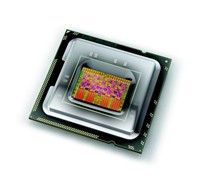
Intel has unveiled its fastest desktop processor to date. The Intel Core i7 processor claims to speed up video editing, games, and other computer activities by up to 40 percent without increasing power consumption.


Click to enlarge
Intel i7: The fastest processor to date.
According to Intel, this new processor holds a new world record of 117 for the SPECint_base_rate2006 benchmark test that measures the performance of a processor. This score is remarkably good as this is the first time ever for any single processor to exceed a score of 100 points.
 
Intel’s Digital Enterprise Group Senior Vice President and General Manager, Patrick Gelsinger said, “Intel has delivered the fastest desktop processor on Earth to the most demanding users on Earth, the ones who are using their PCs for video, gaming and music. When you couple what is Intel’s biggest leap in chip design with other incredible innovations like Intel’s solid state drives, the Core i7 processor has redefined the computer of tomorrow.” 
 
Intel’s unique Turbo Boost Technology accelerates performance to match a computer user’s needs and workloads. Through a sophisticated on-die power control unit and using new “power gate” transistors based on Intel’s advanced 45 nanometer, high-k metal gate manufacturing process, Turbo Boost automatically adjusts the clock speed of one or more of the four individual processing cores for single- and multi-threaded applications to boost performance, without increasing power consumption.


The Core i7 also has the latest Intel power-saving technologies, allowing desktops to go into sleep states formerly reserved for Intel-based notebooks.
 
Intel claims that the Core i7 processor more than doubles the memory bandwidth of previous Intel “Extreme” platforms, speeding the transfer of computer bits and bites in and out of the processor with Intel Quickpath Technology. Designed with Intel’s Hyper-Threading Technology, the processor also allows multiple computing threads to run simultaneously, effectively enabling it to do two things at once.

It also offers unrivalled performance for immersive 3-D games – over 40 percent faster than previous Intel high-performance processors on both the 3DMark Vantage CPU physics and AI tests, popular industry computer benchmarks that measure gaming performance. The Extreme Edition uses 8 threads to run games with advanced artificial intelligence and physics to make games act and feel real.  
 
The Intel Core i7 processors and Intel X58 Express Chipset-based Intel Desktop Board DX58SO Extreme Series are available now.

See: www.intel.com.au

Quick Digital Archiving With Epson Scanner

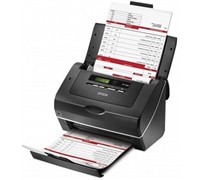
Epson has launched two high speed sheet-fed scanners that can capture database information and whole documents for immediate use or for archiving purposes.


Click to enlarge
Epson claims that the GT-S80 scans 40 pages per minute (ppm) single sided and 80 images per minute (ipm) in a double sided scan, while the GT-S50 scans at 25 ppm single sided and 50 ipm double sided.

The GT-S50 and GT-S80 both have dual CCD technology that scan up to 600 dpi for fast double-sided scanning and comes with a 75 page feeder for rapid capture of large multi page documents. It can scan A4, legal, letter, B5, B6, A5, and A6 documents, as well as ID and business cards. 

The Epson Scan 3.6 software comes with automatic de-skewing and background colour removal, hole punch removal, blank page skip, text enhancement, single colour enhancement or single colour dropout, and image or graphics enhancement for better scanned images.


Documents can be saved as searchable PDF (Windows only), compressed PDF (2 compression levels: Standard and High), encrypted PDF with a password, along with several other PDF save features.

The GT-S50 and GT-S80 can also perform direct scanning to IT applications or folders such as Microsoft Share Point, Network or FTP folders.  Users can customise these job settings by assigning a VBS script to launch actions in Epson Event Manager allowing easy integration of scanning jobs into document management system processes.

The scanners also have Hi-Speed USB 2.0 connectivity to any PC, and are compatible with Windows and Macintosh operating systems.

The GT-S50 and GT-S80 will have an RRP of $999 and $1299 respectively and are available from Epson distributors.

See: www.epson.com.au 

Sandisk Unveils Better Flash Memory For Netbooks

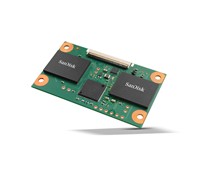
SanDisk has today launched its next-generation of flash memory-based solid-state drives (SSD) designed for the netbook market.


Click to enlarge

Designed as drop-in replacements for hard-disk drives (HDDs), SanDisk’s new second generation module has a SATA interface to meet new netbook design requirements.

The company claims that the SATA interface offers a significant boost in performance rendering these SSDs faster than HDDs in critical aspects. Booting and launching applications takes just half the time of an HDD.

Available in capacities of 8, 16, 32 and 64-gigabytes, SanDisk Gen 2 pSSD drives are aggressively priced, making them attractive for POS terminals, printers, ATMs and other applications where users need HDD functionality with strong reliability, yet want to pay a low cost for the exact capacity that they need. For example, the 32GB modular SSD is priced at parity with 2.5″ HDDs in OEM quantities.


SanDisk’s Senior Vice President and General Manager of Solid-State Drives, Rich Heye said, “Netbooks represent the fastest growing PC segment in 2009 and 2010 yet widespread adoption of SSDs in netbooks has been limited by speed, capacity and cost constraints. With the significant improvements in performance, capacity and low pricing, these SSDs are a perfect fit for the exploding netbook market.”

SanDisk’s Gen 2 pSSD drives, slated to be available in February 2009, are built using the company’s reliable 43-nanometer Multi-Level Cell (MLC) flash memory. This technology is produced at fabrication plants in Yokkaichi, Japan, where SanDisk and its partner, Toshiba Corporation, share the output.

The technology on which the Second Generation Modular SSDs are based also utilizes SanDisk’s innovative patented All Bit Line (ABL) architecture with advanced proprietary programming algorithms and multi-level data storage management schemes to yield MLC NAND flash memory chips that don’t sacrifice performance or reliability.

See: www.sandisk.com

Vodafone Predicts Big Demand For Storm

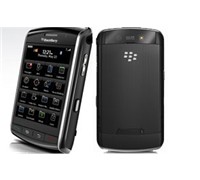
Vodafone has revised its launch timing for the BlackBerry Storm to ensure that it can meet ‘unprecedented demand’ from across Australia.


Click to enlarge
Vodafone has ordered a second shipment of BlackBerry Storm and will begin selling the smartphone from Vodafone retailers on Friday, December 5, 2008.

Vodafone will email all prospective customers who have pre-registered for BlackBerry Storm, inviting them to complete their Storm purchase online. In addition to receiving an 8GB microSD card, online customers may also receive their device a day before the official in-store launch date of December 5.

Vodafone Australia’s CEO, Russell Hewitt said, “BlackBerry Storm has sparked the imagination and anticipation of Vodafone customers around the world. In the UK, we’ve been selling a Vodafone Storm every 13 seconds, and on the basis of demand from our pre-registration process, which is well into the thousands, we’re expecting demand to be just as hot here in Australia.”

Vodafone Australia has also announced that it would heavily subsidise the BlackBerry Storm in Australia to provide it to customers for $0 while offering Vodafone customers unlimited BlackBerry email and internet from as little as $69 per month.

See: www.vodafone.com.au/blackberrystorm.

New Sony Notetaker Provides Clear Audio

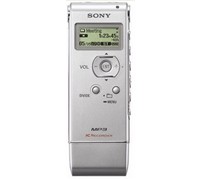
Sony Australia has released three new voice recorders that claims to have a unique Noise Cut function as well as stereo voice recording, MP3/WMA music playback, drag ‘n drop audio transfer, and convenient USB storage.


Click to enlarge
Sony Personal Audio’s Product Manager, Suzanna Gan said, “Designed for today’s mobile consumers who are looking for an all-in-one solution for their recording needs, the ICD-UX notetakers are slim and stylish accessories, perfect for use in all situations.”

The ICD-UX notetakers feature a built-in stereo microphone, digital pitch control and voice operated recording that ensure optimum recording quality. Files are saved in MP3 format for easy audio sharing via e-mail.

The ICD-UX also comes with a Noise Cut feature that enhances the frequency range of human speech (500Hz – 3400Hz) for clearer and more audible files. At the same time, sound frequencies in lower and higher ranges are suppressed to eliminate ambient noise.

The ICD-UX notetakers include drag ‘n drop file transfer through USB connection to a PC or Mac and does not require pre-installation of any software. It also features FM radio recording and playback in MP3 and WMA format for easy playback.

Pricing and Availability:
ICD-UX71F: 1GB, Up to 257hrs, white or silver, $199
ICD-UX81F: 2GB, Up to 575hrs, silver or pink, $249
ICD-UX91F: 4GB, Up to 1152hrs, black or red, $349

See: www.sony.com.au

Samsung Everything Phone Stacks Up Nicely

The new Omnia from Samsung claims to do it all. It comes with a great camera sensor, built-in GPS, DivX player, and various office tools to keep you connected. But is this smartphone just another jack of all trades, master of none phone?


Click to enlarge

The Omnia is a solid unit despite its lightweight factor. Up front, users can find the earpiece, a secondary camera (for video calling), a 3.2-inch touchscreen (with a resolution of 400 x 240), a talk/speakerphone key, a trackpad, and an end/device lock key.

The Main Menu key, Volume keys, and Camera key are located on the right spine, while the unit’s multifunction jack (for PC Sync, Charging, and Hands-free use) is found on the opposite side. Finally, a 5-megapixel camera is located at the back of the unit, in addition to the SIM card slot and microSD card slot under the battery cover.

The Samsung Omnia runs on a 624MHz Marvell PXA312 processor with 128MB RAM and comes with a 8GB internal memory (expandable using microSD). It runs on Windows Mobile 6.1 Professional, but uses a proprietary skin to help simplify the ‘touch’ experience.

Users can customise the Omnia’s Today screen with the help of widgets. Tapping the arrow at the bottom left of the screen opens the toolbar which allows you to rearrange widgets or move them to the Today screen by dragging and dropping. Widgets include an analogue clock, games shortcut, photo album, world clock, today’s date, digital clock, music player, FM radio, service status, profile, and memo.


Click to enlarge
Samsung has pre-installed a lot of programs on the Omnia to ensure it can do ‘everything.’ Programs include MS Office Mobile suite (Word, Excel, Powerpoint, OneNote, Outlook), Windows Media Player, Windows Live Messenger, Video Editor, an RSS Reader, Opera Browser, and even Google Maps and Launcher. It even comes with an FM tuner for on air music listening as well as a Smart Reader program that reads and stores business cards with a touch of a button.

The handset is HSDPA-enabled, giving users speedy Internet while on the go. It also comes with Wi-Fi built-in, which allows you to connect to any available wireless network and let you surf, check e-mails, chat, and download without the additional carrier fee. Bluetooth is also available for speedy headset or computer pairing. It also sports a GPS receiver, allowing users to use the Omnia as a navigation device.

It is easy to access programs on the Omnia as the icons were large enough. The on-screen QWERTY keyboard takes a while to get used to, but definitely gets easier over time. And depending on the unit’s orientation, you can view icons, movies, and photos in portrait or landscape mode.

The only problem we had with the unit’s touch screen is the fact that it is very sensitive: sometimes it launched programs while we were trying to scroll up/down the Main Menu or typed a button we didn’t even want to press. In addition, we also had problems clicking icons outside of the skin – we needed to accurately press some Windows icons and the only way to do that is to use a stylus. 


Click to enlarge
The unit was speedy and ran Windows Media Player, Opera, and the Office suite without experiencing slowdowns. The only time it ran slow was after running 6 to 7 programs. But this is not Samsung’s fault: Windows Mobile runs an opened program in the background even after ‘closing’ it. The only way for a user to make the unit speedy again is by running the Task Manager (via Start -> Programs or by pressing the upper right button) and closing all the unneeded programs.

Multimedia files are not an issue as the Omnia can play MP3/AAC/AAC+/WMA/OGG/AMR files as well as movie files in DivX/XviD/WMV/MP4 format. The built-in speakers are loud enough, but users are recommended to use headphones instead. Unfortunately, users would have to hook up the proprietary hands-free adapter first (comes with a 3.5mm jack) before being able to use their headphones. A TV out function is also available, though users must purchase an optional jack separately.

The Omnia’s 5-megapixel camera is just as good as any other cameraphone in this range, providing us with sharp and colourful photos. The only problem with the phone is its image processing: we got some blurred photos because we moved the camera too early.


Click to enlarge
The unit can also be networked, as it is compatible with DLNA (Digital Living Network Alliance). DLNA is a collaboration of various companies that aims to provide seamless integration in the home. This means that the Omnia can download content from a DLNA-certified products (such as the PS3 or Vaio), and can stream audio to it. 

Better to bring your charger along if you plan to use the Omnia extensively. Our demo unit only lasted less than a day despite only checking a couple of e-mails, calling a couple of friends, and sending a few SMS’s to contacts. It will last even shorter if you turn on Wi-Fi or Bluetooth, so better keep the unit juiced up.

While it cannot compete with Apple’s iPhone, Samsung’s Omnia is one of those touch-based handsets that Windows owners can appreciate. It comes with Wi-Fi, HSDPA, can store a lot of data, help you get things done with its various software programs, and is fairly easy to use. Just make sure that you bring your stylus for easy button access.

See page over for product specifications and final rating.


Samsung Omnia SGH-i900 product specifications:

Band: GSM Quad-Band (850, 900, 1,800, 1,900MHz), UMTS 2,100MHz
Network and Data: HSDPA (7.2Mbps), EDGE, GPRS Class12
Browser: WAP 2.0 / Internet Explorer / Opera
Java: Java MIDP 2.0

Screen: 3.2-inch 65K TFT WQVGA (400×240)

Battery:
Talk time: Up to 6 hours
Standby: Up to 400 hours

Camera:
Resolution: 5-megapixel
Digital Zoom: 4x
LED flash: Power LED
Auto Focus: Yes
Shot mode: Smile, Panorama, Face Detection, Mosaic, Continuous

Business and Office:
Document Viewer
Mobile Printing
Offline Mode

Messaging: Email and SMS

Connectivity:
Bluetooth
USB
Wi-Fi
GPS
TV-Out
PC Sync Application

Memory: 8GB
External Memory: microSD up to 16GB

Dimensions: 112.0 x 56.9 x 12.5mm
Weight: 125g

————————————
Samsung Omnia SGH-i900 | $849 |  | www.samsung.com.au

For: Can do just about anything; Big screen; Responsive Samsung skin; DLNA networking; Camera Output
Against: Hard to press Windows keys; Battery Life; Need to constantly run the Task Manager to free up memory
Conclusion: Samsung’s smartphone lets you do it all.

Fujitsu Unveils New Netbook

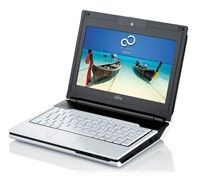
Fujitsu has launched the M1010, a netbook that promises ‘true mobility’ for today’s Internet-savvy generation.


Click to enlarge
The M1010 is powered by the Intel Atom processor, comes with a gigabyte of RAM, 60GB hard drive, and an 8.9-inch widescreen display with 1024 x 600 pixel resolution. It also comes with Wi-Fi and Bluetooth built-in for added connectivity, and comes with a 4-in-1 card reader for easy data transfer.

Fujitsu PC Australia’s Country Director, Mr. Ivan Chan said, “Casual users who are looking for a constant personal companion that allows them ultimate connectivity and essential functionalities at a non-hefty price tag will find that the M1010 truly meets their needs for a richer, fuller user experience.”

Fujitsu has optioned the Fujitsu M1010 with a set of removable Color Lids in shades of Red, Pink, Bronze, Blue and Black. And if you have a favourite design or character, just use the bundled free transparent Color Lid to show off that special design.
 
The M1010 comes with a ThinkFree Mobile Office Suites that is compatible with Microsoft Office documents and offers value-adding services such as online storage (www.thinkfree.com).

According to Fujitsu, the ThinkFree Office software feature will help you work on your powerpoint presentations, spreadsheets or word documents just about anywhere, anytime and with a user interface you are familiar with.

The Fujitsu M1010 is available now with an RRP of $699.

See: au.fujitsu.com/pc

Tough i-Mate Phone For The Outdoors

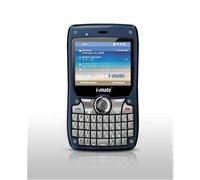
i-mate has released a new phone that is built to last, thanks to its lifetime warranty and tough military-grade build.


Click to enlarge
The i-mate 810-F runs on Windows Mobile OS 6.1 and is comprised of waterproof rubber casing and exposed metal screws, a full QWERTY keyboard, and impact resistant touch screen.

According to the company, the 810-F is designed around the stringent MIL-STD-810F series of standards. These standards are issued by the U.S. military’s Developmental Test Command, a body whose role is to ensure equipment can withstand the rigours of the most extreme environments.

This means that the i-mate 810-F can cope with pressure, heat, water, humidity and even extreme shock. The company also claims that the unit can run at sub-zero temperatures (-10C) and can withstand temperatures of up to 60C. The unit can even be submerged in water.

i-mate’s CEO, Jim Morrison said, “Until now, users have had to choose between a compact phone that incorporates the latest features, or one that was big, bulky and very expensive that could cope with the rigours of a harsh working environment and survive use during adventurous outdoor pursuits.”


“The 810-F has been developed to meet the demands of the office, the work site and the outdoors.  It is all about performance; whether it’s the ability to perform in extreme conditions, or the performance under its skin. For adventurers looking for a phone to match their lifestyle, it’s the perfect answer,” added Morrison.

Besides having a lifetime warranty, the 810-F also comes with Secure i-Q, a service from i-mate that lets you use your PC to remotely lock, wipe personal information or alarm your mobile if it’s ever lost or stolen.

The 810-F is a full-featured Smartphone based on Windows Mobile 6.1 Professional with tri-band HSDPA and quad-band GSM/EDGE connectivity.  Also included is a 320_240 touch screen, 2.2GB of built-in storage, 128MB of DDR memory, 624Mhz PXA processor, 2MP camera with video capability, QWERTY keyboard, GPS, Wi-Fi, digital compass, accelerometer and Bluetooth.

The i-mate 810-F will be available in the next couple of weeks.

See: www.imate.com

Adobe A Good Place To Work Says Survey

Adobe is one of the best companies to work for according to Fortune Magazine’s 12th annual “100 Best Companies to Work For” survey.

Adobe bagged 11th place, making this the tenth year Adobe has been on the list. Additionally, Adobe is ranked No. 10 among “top-paying” companies.

Adobe’s Senior Vice President for Human Resources, Donna Morris said: “Adobe is honoured to be included once again on this distinguished list. In the face of continuing global economic uncertainty, our commitment to keeping Adobe a great place is unwavering, and our ranking speaks to our employees’ enthusiasm about growing their careers here.”

Adobe has approximately 7,000 employees in locations worldwide, including North America, Europe, Japan and Asia Pacific with more than half of Adobe’s employees located in the United States.

In total, 353 U.S. companies vied for a place on the “100 Best Companies to Work For” list. Two-thirds of a company’s score is based on the 57-question survey created by the Great Place to Work Institute, a global research and consulting firm with affiliates worldwide. Fortune polled a minimum of 400 randomly selected employees at each company. The remaining third is based on a company’s responses to the Culture Audit questionnaire, which included questions about demographics, pay and benefit programs, and open-ended questions on philosophy, communication and more.

See: www.adobe.com

New HTC Smartphone Larger Than Life

The new Touch HD from HTC will change the way you look at videos, documents, and websites thanks to its large screen. You can give this phone a go if you hate looking at small screens and want an easy-to-use smartphone, although be prepared to shell out a hefty sum for it.


Click to enlarge
The Touch HD’s screen is just as big as my credit card. The 3.8-inch widescreen VGA screen (480 x 800 WVGA) is perfect for the TouchFlo 3D interface: icons were larger and easier to press, while various Windows icons were not as hard to access. Photos and videos were crisp, with the Touch HD being able to change orientation (from portrait to landscape) instantly by rotating the unit.

The unit only has three hard buttons: the power/standby switch located on the upper right had side of the Touch HD, and the volume keys on the left side. A 3.5mm audio jack is found on top of the unit (finally!), while a mini-USB port for charging and synchronisation is found at the unit’s bottom. The unit’s 5-megapixel camera, microSD card slot, and SIM card slot are found at the back of the device, while four touch keys (end call, pick up, home, back) and secondary camera are found up front.

Since the unit is a Telstra-exclusive smartphone (as of this time of writing), HTC has decided to change a couple of icons on its TouchFlo interface. It still has the Home, People, Messages, My Email, Photos and Videos, Music, Settings, and Favourite menus but now has a Downloads section (giving users access to Music, Games, Tones and Pics, Caller Tones, Applications, and Bigpond service), a Telstra Applications menu (containing Scan Code, Yellow, Call1234, Whereis Trading Post, CitySearch, Blog and Photos, My Account, My Sync), TV menu (with Entertainment, Sports, News and Docos, Kids, Music, Active, Foxtel, TV, Live, Movies), News and Sport (access to News, Weather, Finance, Sport, Alerts, BigPond, AFL, NRL, V8, Horse Racing), and Internet and Search (launches BigPond, Sensis Search, Yellow, Web, and YouTube).


Click to enlarge
Despite its large profile, the unit fits comfortably in our hand. The TouchFlo 3D is more responsive now compared to last year’s Diamond, thanks to its 528Mhz Qualcomm processor and 288MB RAM. The unit runs on Windows Mobile 6.1 and comes with pre-installed programs like Office Mobile, Adobe Reader, ActiveSync, RSS feeder, Jetcet Print 5, Windows Live Messenger, and a Remote Desktop Mobile software.

The unit also comes with Wi-Fi, Bluetooth, GPS, and can quickly download or upload files as it is HSDPA-enabled.

Despite the unit allowing us to view photos and videos in landscape, we found it strange that the unit cannot change the orientation of our spreadsheet and word documents. It may not be an issue for some users, but after seeing the Samsung Omnia being able to display spreadsheets in landscape, HTC should have done the same.

The Mobile Foxtel service can be watched in full screen, which is great for mums and dads who want to keep their kids busy for a couple of hours. Music sounded great, with the 3.5mm jack adding more versatility as it allowed us to use our favourite headphones. HTC has also included an FM tuner in case you want to listen to your favourite FM station.


Click to enlarge
Despite sporting a 5-megapixel sensor, the HTC Touch HD was unable to deliver, providing us with bland photos despite taking shots on well-lit places. And don’t even think about taking shots at night: this smartphone does not have any built-in flash.

Thanks to its 1350mAh battery, the Touch HD lasted for about three and a half days with moderate use. The company claims that it has a talktime of up to 420 minutes and a standby time of up to 680 hours, which is good for a unit with a large screen.

HTC has set the bar high this year with its Touch HD. This new phone is bigger, faster, and is very easy to use. The only problem is that you have to shell out $1,499 upfront or $0 upfront on a $150 member plan with a repayment option of $62.45 per month over 24 months for this unit, making it difficult for some to afford this kind of luxurious phone.

See page over for product specifications and final rating.


HTC Touch HD Specifications:

Chipset: Qualcomm MSM7201a 528Mhz
Internal Memory: 512MB flash; 288MB RAM
Display: 3.8-inch widescreen VGA screen (480 x 800 WVGA)
Software/OS: HTC TouchFlo 3D with Windows Mobile 6.1 Professional
Camera: 5-megapixel with auto focus
Network: WCDMA 850.2100 MHz and GSM: 850/900/1800/1900, HSDPA 7.2 Mbps and HSUPA 2 Mbps
Memory card: microSD memory card (SDHC capable): 8GB card included
WLAN: 802.11b/g
Bluetooth: 2.0 with EDR with A2DP
GPS: Built-in GPS
Interface: HTC ExtUSB (mini-USB and audio jack in one; USB 2.0 High-Speed)

Battery: 1350mAh
Talk time: WCDMA: up to 420 minutes / GSM: up to 480 minutes
Standby time: WCDMA: up to 680 hours / GSM: up to 440 hours

Size: 115 x 62.8 x 12mm
Weight: 146.4 grams

HTC Touch HD | $1,499 |  | www.htc.com

For: Large screen; Big icons; Responsive TouchFlo 3D; Telstra launch icons; 3.5mm audio jack; Good browser; Connectivity; Battery life; Comes with 8GB card
Against: Spreadsheets and word documents cannot be shifted to landscape; Very expensive
Conclusion: Big is beautiful with HTC Touch HD