Smart Office

Intel Flash-Based Drives For Servers

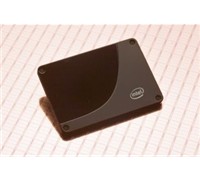
Intel has begun shipping its solid-state drive (SSD) aimed at server, workstation and storage systems.


Click to enlarge
Unlike hard drives that contain moving parts, the Intel X-25E Extreme SATA Solid-State Drive features a 50nm single-level cell (SLC) NAND flash memory technology.

According to Intel, systems equipped with these drives will not suffer from the performance bottlenecks associated with conventional drives, can reduce infrastructure, cooling and energy costs, and untimately ‘lower total cost of ownership for enterprise application by more than five times.’
 
Intel Server Platforms Group’s General Manager, Kirk Skaugen said, “Hard disk drive performance has not kept pace with Moore’s Law. Intel’s high-performance SSDs unleash the full performance of the latest Intel Xeon processor-based systems while increasing reliability and lowering the total cost of ownership for a broad range of server and storage workloads.”


The Intel X25-E claims to increases server, workstation and storage system performance by 100 times over hard disk drives as measured in Input/Output Per Second (IOPS). A storage model which includes SSDs can also lower energy costs by up to five times, an added benefit for businesses focused on electricity savings.
 
The product was designed for intense computing workloads which benefit primarily from high random read and write performance, as measured in IOPS. Key technical performance specifications of the 32 GB Intel X-25E SATA SSD include 35,000 IOPS (4KB Random Read), 3,300 IOPS (4KB Random Write) and 75 microsecond read latency. This performance, combined with low active power of 2.4 watts, delivers up to 14,000 IOPS per watt for optimal performance/power output.

The product also achieves up to 250 megabytes per second (MB/s) sequential read speeds and up to 170 MB/s sequential write speeds, all in a compact 2.5-inch form factor.
 
Pricing and Availability

The 32GB capacity drive is in production and priced at US$695 for quantities up to 1,000. The 64GB version is expected to sample in the fourth quarter with production estimated for the first quarter of 2009.

See: www.intel.com/go/ssd
Inexpensive Media Keyboard From Microsoft

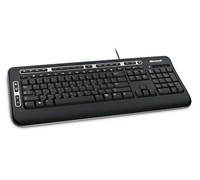
Microsoft Australia has today announced the Digital Media Keyboard 3000, an entertainment keyboard designed to enhance the computer user’s digital lifestyle at an affordable price.


Click to enlarge
The Digital Media Keyboard 3000 is the ideal keyboard for the modern day media centre user, making it easier than ever to access movies, music and photos on your PC. This keyboard provides one-touch access to Media Center controls such as play, pause and volume – so watching your favourite movies is easy. This keyboard also provides access to My Favourites Keys and customisable Hot Keys.

This keyboard is optimised for Windows Vista, with quick access to the Flip 3D feature – which allows consumers to flip through all their open windows and quickly switch between applications. The speed and flexibility of the Digital Media Keyboard 3000 lets users easily customise their computing experience.

The My Favourites Keys deliver one-touch access to the computer user’s most-used websites, files and folders. Simply push and hold a key to assign it to the current destination – just as the user would preset a car stereo. The customisable Hot Keys enable users to quickly launch into their favourite programs such as Messenger, Mail, Web/Home and Media Player.


Key features of the Digital Media Keyboard 3000 include:

  • Media Center controls – people can access popular media activities with one touch, such as play, pause and volume.
  • With one click, the Windows Start Button pulls up the Windows Start menu enabling people to swiftly search for or launch documents. If users have Windows Vista installed, they can search their PC or the Web directly from the Windows Vista Start menu.
  • Zoom allows consumers to easily zoom in to and out of digital pictures, maps and more. 
  • Enhanced F Keys make it easy to complete common tasks with one touch. Keys are conveniently grouped according to common usage patterns, such as New, Open and Close. Users can also set traditional F Key functions with the F Key lock.
  • Spill-resistant keys – Don’t worry if you spill some of your drink as the integrated water channels in the keyboard are designed to drain liquid away.

Pricing and Availability

The Microsoft Digital Media Keyboard 3000 will be available in July 2008 for a recommended retail price of $49.95.

Fast File Transfer With New Samsung External Drive

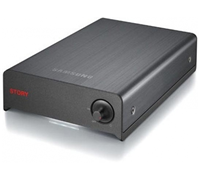
Samsung has confirmed that the Story Station 3.0 will be available in Australia this month. This external drive comes with USB 3.0 for fast data transfer and can store up to 2TB of data.


Click to enlarge

The Story Station combines a grey, brushed aluminium casing with the logo stencilled in red. The casing includes ventilation slits to facilitate even heat dissipation, while the USB 3.0 interface offers a maximum transfer rate of five gigabits per second (Gbps). Preloaded software suites include Samsung Auto Backup, SecretZone and SafetyKey for data encryption and password protection.

Samsung Australia’s National Product and Marketing Manager, Emmanuele Silanesu said, “The Samsung Story Station 3.0 has been built for advanced users who demand fast transfer speeds from their computer to the external device and top of the range data security without sacrificing design. It creates a seamless experience that allows users to move large chunks of high-quality multimedia content with minimal wait time.”

The Samsung STORY Station 3.0 drives will be available this month for $169 (1TB), $219 (1.5TB), and $269 (2TB).

Apple To Sell NetComm Pocket-Sized Wi-Fi Router

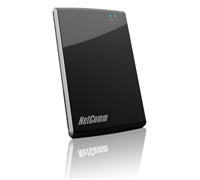
Apple has scored an exclusive deal with Netcomm to launch a pocket-sized 3G wireless router. The company said that the new device can connect to an iPad, netbook/notebook, gaming console, and even smartphones wirelessly.


Click to enlarge

Called MyZone, this mobile 3G Wi-fi router is 9mm thin, weighs 77g, and comes with a Li-ion battery that claims to provide up to 6 hours of operation.

NetComm’s Managing Director, David Stewart said, “In addition to its performance and lightweight design, a key feature of the MyZone is its superior battery life.  Battery life is important, whether you are a business or consumer. We have therefore concentrated development around maximising battery life.”

From our short hands-on at a press conference this morning, we found that the MyZone was easy to set-up. After turning the unit on, all a user needed to do was to connect to the wireless network named NetComm MyZone and type the default password. Once a user is connected, he/she can easily change the security settings (WEP, WPA, WPA2) by typing my.zone on a browser. A user can also change the Access Point Name if the unit has not connected to the Internet and even manually adjust the settings. The default interface is simple and shows you the battery level and the 3G connection status.

“Another important feature we addressed is user experience. NetComm has focused on developing a simple user interface for ease of use.  The MyZone employs NetComm’s “Smart Connect” technology that preloads the MyZone with carrier connection information, meaning customers can connect to their 3G network with minimal configuration,” added Stewart.

Compatible with Windows, Mac and Linux operating systems, the MyZone delivers download speeds of up to 7.2Mbps and upload speeds of 5.76Mbps for large file transfers. The MyZone platform supports 3G Tri-band 850MHz, 1900MHz, and 2100MHz for local and international services.

The MyZone will be exclusively available at Apple stores and Apple’s online store in Australia for 8 weeks for $299.

Read our full review of the MyZone here.

New NBN Directors Revealed

The Rudd Government has appointed five ‘expertly qualified and experienced’ individuals to the board of its National Broadband Network company.

The new directors are former Telstra executive Mr. Doug Campbell, former CEO of law firm Freehills Mr. Peter Hay, former partner of management consulting firm McKinsey & Co Ms. Siobhan McKenna, former Westpac executive Ms. Diane Smith-Gander, and former Westfarmers Finance Director Mr. Gene Tilbrook.

“The NBN Co Board will help drive the rollout of the National Broadband Network and guide the development of company operations. These Board appointees are expertly qualified and experienced to establish this important component of our future economic infrastructure,” says Minster for Finance and Deregulation, Lindsay Tanner.

The five new directors will join the Executive Chair, Mr Michael Quigley, on the board. Mr. Quigley has also been appointed as Chief Executive Officer of NBN Co.

Minister for Broadband, Communications, and the Digital Economy, Senator Stephen Conroy said, “These appointments move us to an important next stage in the implementation of this infrastructure project. Mr Quigley and the five new directors bring a strong set of skills necessary for a task of this scale and importance.”


Panasonic Recorders Zooms In Voice

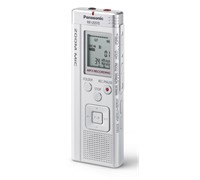
The new line of Panasonic Digital Voice Recorders comes with a 3x zoom microphone that allows a user to get closer to the audio source.


Click to enlarge
The 3x zoom microphone found on the Panasonic RR-US570, RR-US550 and RR-US510claims to cut down distortion from surrounding noise (assisted by a 270mW low noise amplifier) and capture the sound clarity and volume equivalent to recording from a point three times closer to the subject.

Panasonic Australia’s Product Manager – Mobile AV, Glenn Zanoni said that its new line of Digital Voice Recorders will offer a simple, convenient, and high-quality audio capture.

“The built-in zoom microphone allows users to get closer to the audio source, maintaining quality recording from a distance, making these devices an essential tool for those who can’t afford to miss a thing,” adds Zanoni.

Panasonic’s new Voice Recorders are designed to record hours of MP3 format audio files. With the ability to record in MP3 format, the audio files are easy and convenient to email or upload online to share with others.


In addition to voice recording, these handy devices offer USB storage for data files and images, as well as MP3 playback of your favourite music.

Additional benefits include the Voice-Activated System (VAS), which begins recording as soon as sound is detected (and pauses during silences) to help eliminate wasted storage space, with a powerful 330mW speaker ensuring high-quality audio playback.

The new Voice Recorders also offer playback speed control, which allows recordings to be slowed down for clarity and accuracy or skipped ahead as desired by the user. The Recorders can also act as a storage device for data files and images and can play MP3 files.

For added security, the device can be protected with a password, so that confidential recordings cannot be played back by unauthorised users. 

The Panasonic RR-US570, RR-US550, and RR-US510 are available for $229, $189, and $149 respectively.

See: www.panasonic.com.au

Voice Now Turns To Text With New Telstra Service

Telstra has launched a new service that allows a customer to convert their voicemail into text.

Telstra has partnered with UK company, SpinVox, to bring the voice to text service to Australian customers. The system, which is called Voice Message Conversion System (VMCS), captures spoken words, and automatically converts them into text.

The Voice2Text service will convert voicemail messages to text and will be sent to a user’s mobile phone as an SMS. Voice2Text subscribers will see the caller ID in the text message, allowing them to easily call or text straight back. In addition, customers also have the option of listening to their voice messages by simply calling MessageBank in the normal way.

Telstra Consumer Executive Director, Ms Glenice Maclellan, said “At a glance, people can usually see who has called, discreetly read the content of the voicemail and make prompt decisions even if they are in a noisy environment, travelling, or simply in the middle of doing something else.”
 
Telstra customers who take up the Voice2Text service for the first time will also get the service free for the first month.
 
Customers can also choose from a number of monthly pricing options including $15 for 500 messages or pay as you go at 40 cents per message (with $5 monthly fee).
 
See: www.telstra.com

AOC Monitor Provides Wide Viewing Angles

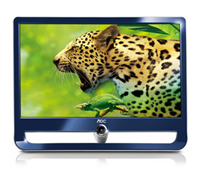
The AOC IF23 is aimed at professional graphic artists or enthusiasts who want a bright and crisp display that has wide viewing angles.


Click to enlarge

Specifications-wise the IF23 sports a 23-inch widescreen, promises a dynamic contrast ratio of 100000:1, a brightness of 250 cd/m2, a response time of 6ms, and a viewing angle of 178. It has a native resolution of 1920×1080 but only has a D-Sub and DVI-D port. It could have been better if AOC included a HDMI port on the device.

 The IF23 sports a photo-frame design with a glossy blue front and a white back. Unlike other monitors, the cabinet is supported by a single-post stand that can be rotated to change the monitor’s angle (3 to 12 degrees).

This unconventional design may be ‘refreshing’ for some, but others would definitely want it in just plain black. Another thing that could put off users is its build quality – the monitor feels flimsy and the plastic just feels cheap.


Click to enlarge

We connected the unit to a Windows PC (via DVI-D) and adjusted the monitor’s contrast and brightness to improve the image quality. The IPS (In Plane Switching) panel allowed us to see a photo at an angle without colour degradation. The colours were crisp and it was able to show more image depth, especially in dark photos and video clips. Static images were sharp and games played on the monitor showed minimal ghosting.

The directional keys found below the device also function as Hotkeys to adjust contrast, viewing mode, image ratio, and source. Pressing the power button displays various commands that allows a user to adjust luminance and colour temperature, turn on colour boost (full enhance, nature skin, green field, sky blue, auto detect) or colour boost (frame size, brightness, contrast, H. position, V. position, and bright frame on/off), adjust the OSD settings, or reset the monitor to default.

The unit also comes with six eco modes that automatically adjust the settings according to the source. This includes Standard, Text, Internet, Game, Movie, and Sports. The IF23’s DCR (Dynamic Contrast Ratio) can also be enabled or disabled.

For $399 you get a great monitor that produces great image quality at any viewing angle. The only problem is if you do not like how it looks – the IF23 is only available in glossy blue and sports a picture frame design. It tries its best to stand out from the crowd, but has a hard time convincing people otherwise. 

Affordable Hitachi Short Throw Projector

Hitachi has announced a new short throw projector that offers premium quality at an affordable price.

The Hitachi CP-D10 will give users the flexibility and convenience of presenting from the front of the room, with little to no shadowing and greatly-reduced presenter eye glare.

According to the company, the CP-D10 projector uses a new free-shaped plastic lens that allows it to achieve a short throw distance of only 93cm for a very sizeable 80″ screen. As a result, lessons and presentations can be made in limited spaces without the audience being distracted by constant presenter shadowing.

The teacher or presenter also greatly benefits from no longer standing in the direct path of the light from projector to screen and therefore avoids eye glare as they try to engage with their students or audience.

The CP-D10 features a brightness of 2,000 ANSI lumens, a 400:1 contrast ratio and XGA resolution. Ambient sound is kept to a minimum through the projector’s new fan design, achieving a low noise of 28dB in ECO mode.

The Hybrid Filter included in the CP-D10 means that maintenance and cleaning sessions are extended from every 400 hours to 4,000 hours, making longer operation possible. Along with the ease of maintenance, the Hitachi CP-D10 benefits from various security functions including a PIN lock and a security bar that allows safety chains to be securely and easily attached.

The added MyScreen function also increases security by identifying the owner of the projector by displaying an unchangeable, personalised screen at startup. Furthermore, the CP-D10 features a Transition Detector, requiring a password to operate the projector when it is moved from a fixed position.

The Hitachi CP-D10 is available for $2145.

Easy Setup Router From Linksys

Linksys has today released the WRT54G2, a Wireless-G router that features the same sleek industrial design sported by its Ultra RangePlus family of Wireless-N routers.


Click to enlarge
According to Linksys, the new design features an internal antenna technology which integrates the antenna into the router body without compromising signal coverage.

Linksys’ Regional Director for Australia and New Zealand, Graeme Reardon said, “The successful Linksys WRT54G Wireless-G broadband router is an iconic product in home networking. We have taken that high benchmark and improved further upon its performance, ease of use and updated it with our latest industrial design. The result is the WRT54G2, and we believe this router will continue to be a hallmark of the home networking environment, like its predecessor.”

The new industrial design was chosen for its high-tech lines and increased weight, instilling a sense of style while offering superior performance and range. The decision to include internal antennas and a new color palette were also the results of extensive market research.


Besides the new design, the WRT54G2 ships with the Linksys EasyLink Advisor (LELA) application, which is a technology advisor that makes life easier for consumers. This simple-to-use software package is designed to take away the technical hassle setting up wireless network and helps to keeps the network highly secure and connected.

LELA will automatically check for updates for all Linksys by Cisco products on the network, and can securely configure other connected devices and computers. The intuitive interface will help simplify set-up and maintenance of a home network.

The unit can be configured with just one simple button on the WRT54G2. The WPS (Wi-Fi Protected Setup) feature is designed to help make securing wireless devices easier. Simply push the WPS button on the router and on another WPS-enabled wireless device to create an encrypted wireless connection between them.

The Linksys WRT54G2 is now available with an RRP of $89.95.

See: www-au.linksys.com