Smart Office

Netgear Unveils New Powerline Adapters

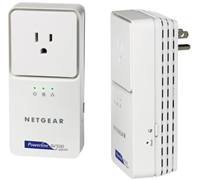
Netgear has launched new powerline kits that provide data transfer speeds of up to 500Mbps on a user’s electrical outlets.


Click to enlarge

The Netgear Powerline AV 500 Adapter Kit (XAVB5001) is smaller than a deck of cards and up to 50 percent smaller than competing products, while the Powerline AV+ 500 Adapter Kit (XAVB5501) offers a cutting-edge integrated filtered power socket for “pass-through” capability. This will enable customers to connect a wide range of power-hungry and electrically noisy devices while still maintaining the highest performance. Both powerlines promise speeds of up to 500 Mbps, whole-home coverage and good performance.

Netgear’s Managing Director for Australia and New Zealand, Ryan Parker said, “Netgear continues to drive its leadership in the Powerline networking space in a global capacity through providing innovative, high performance products. The Australian market has been slow to adopt Powerline technology for in home distribution of network access, the Internet and personal media.”

“However with the advent of Home Plug AV (200MB) and now the Powerline AV+ range, we are excited by the enthusiasm from our channel partners to take on the challenge of educating the Australian and NZ consumers on the benefits of using Powerline to internet connect every room in the home for hi def media streaming,” added Parker.


The adapters incorporate the latest in technology innovations and are designed to be compatible with the draft international IEEE P1901 powerline standard. Thus, these solutions provide greater speeds for bandwidth-hungry applications such as lag-free Internet gaming, Voice over IP (VoIP), large file transfers to networked devices, and even simultaneous 1080p HD video streaming to multiple TVs throughout the home.

Features of the new Powerline include:

  • 500 Mbps PHY rates and Gigabit link rates
  • Backwards compatibility with other HomePlug AV products from NETGEAR, as well as other installed HomePlug AV-certified products from other vendors.
  • Designed for compatibility with the draft IEEE P1901 global standard for high-speed powerline communications.
  • Ideal for use with Internet-connected devices that demand high bandwidth, such as the NETGEAR Digital Entertainer Express (EVA9100), Elite (EVA9150) and Live (EVA2000) digital media players, Blu-ray players, TiVo, AppleTV, Xbox 360, PlayStation 3, DVRs and network-enabled TVs.

Local pricing will be announced at a later date.

New Portable HD Projector From Sharp

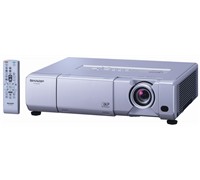
Sharp has launched a new projector that comes with a carry handle, making it suitable for mobile use says the company.


Click to enlarge
The Sharp PDG3750W promises superb image and colour nuances with its BrilliantColour technology, has a brightness of 3700 ANSI lumens and a 2200:1 contrast ratio. It features a Wide-XGA (1280 x 800) image with 1080p capability.

The projector includes an HDMI terminal, two RGB component inputs, S-video, composite video and stereo audio, an RS-232C port and a USB input for mouse control. There is also an RJ-45 LAN connection for remote control and web browser access for diagnostics and automatic e-mail of product status.
 
An built-in high power output stereo speakers (5W per channel) are sufficient for use without the need for a peripheral audio system. Low maintenance filter-free design with sealed DLP optical system further contributes to low total cost of ownership.
 
Other useful features include system lock, key lock function as well as presentation assist functions by remote control (page up/down, pointer, spotlight and mouse control).
 
The Sharp PG-D3750W projector is available now for $3,299.

Maxtor Armoured Drive For Total Data Protection

The new portable hard drive from Maxtor will provide you with government-grade security, thanks to its encrypting storage solution.


Click to enlarge
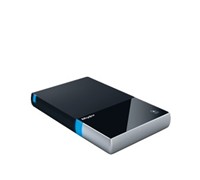
Named BlackArmour, this new device claims to provide AES government-grade encryption solution that protects against ‘unauthorised access to valuable and private information.’

Using Seagate Secure technology, Maxtor’s BlackArmour drive is designed to keep data locked up and protected in the event of loss or theft. Seagate Secure technology is a hardware-based encryption, making the encryption transparent to the user and free of complicated installation and use procedures required by software-based security.

This device provides transparent, real-time encryption of all that data on the device, not just selected files; providing performance and ease of use advantages over manual software-based security controls. The BlackArmour product also puts all security keys and cryptographic operations within the device, delivering protection against hacking and tampering.


Senior Analyst of Information Security at Enterprise Strategy Group, John Oltsik said, “Government regulations on organisations that manage confidential and personal information continue to get more stringent, making security of sensitive information a mission-critical requirement. Unfortunately, this is a monumental set of tasks that organisations are faced with, when confidential data is created, copied, and stored across the enterprise at an ever-increasing rate from data centre systems to desktop and mobile devices.”

Seagate Asia Pacific’s vice President and managing Director, BanSeng Teh said, “Maxtor storage solutions are focused on security and back up of your valued digital assets. BlackArmour is an innovative new product that delivers on the promise of providing our customers with a level of security that is both reliable and robust, for a plug-and-play, easy-to-manage storage device.”

Availability and Pricing:

The Maxtor BlackArmour will be available in 160GB and 320GB and will have an RRP of $179 and $259, respectively.

Get Lost With GPS Walkman Phone

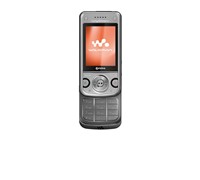
Sony has unveiled a 3G Walkman phone that comes with an inbuilt GPS that will prevent users from getting lost. The new Sony Ericsson W760 will also allow users to download music and data faster than ever, as it will be utilising Telstra’s Next G network.


Click to enlarge
Besides offering music functionality, the unit also comes with an inbuilt GPS. Powered by Whereis, users can access Whereis Maps and Navigation for turn by turn directions. It also comes with a large 2.2-inch colour screen capable of displaying 262k colours, as well as a 3.2-megapixel camera with 2.5 x digital zoom and video.

Sony Ericsson Oceania’s Head of Marketing, Josh Oxspring said, “People today are always on the move so it’s important that they can stay in touch and have their entertainment at their fingertips. At Sony Ericson we want to energise our consumer’s lifestyles and as we know people always have their mobiles on them – it seems natural we ensure all the necessary functionality is right there when they need it.”

Telstra’s Executive Director for Consumer Marketing and Channels, Ms. Glenice Maclellan said, “The new W760 incorporates the new Telstra Mobile Code Reader which can be used to scan a Telstra Mobile Code (also known as a QR code), an innovative new way to quickly access mobile internet and content. All customers need to do is scan mobile codes that appear on print and online advertisements, on flyers, billboards and LCDs – the possibilities are endless. We expect this new technology to be extremely popular with our customers as we have seen in the Japanese and UK markets”.


To celebrate the launch of the W760, Sony Ericsson and Sneaky Sound System have partnered to offer Telstra customers and music lovers alike a complete music solution with exclusive mobile content from Sneaky Sound System’s new album ‘2’ available from 16 August, 2008. Incorporating the unique Telstra Mobile Codes, consumers will have access to wallpapers, screensavers, ringtones and even a full yet to be released track.

“The W760 fits perfectly into this lifestyle. It is bold, action-packed and along with the Sneaky Sound System partnership takes the Walkman phone beyond just music, this is an incredibly exciting product that hits all the right notes,” added Mr. Oxspring.

The Sony Ericsson W760 will launch through Telstra shops and dealers from 7 July 2008 for $879 and will also be available on a $60 Phone Plan over 24 months.

See: www.sonyericsson.com

Kensington Unveils New Notebook Accessories

Kensington has launched its new range of notebook accessories which include a universal docking station, two new Pro Fit mice, a wireless presenter, and two compact power adaptors.


Click to enlarge
Kensington Universal Notebook Docking Station

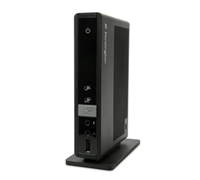
The Kensington Universal Notebook Docking Station with VGA/DVI and Ethernet converts your notebook into a desktop with its multitude of ports. All a user needs to do is to plug a single USB cable into your laptop and users will instantly be connected to a high-resolution monitor, printer, speakers, and all other hardware devices you may need. It is available now for $250.

Kensington also unveiled the Pro Fit Wireless Mid-Size Mouse ($29.95) – a mouse that sports a right-handed design and uses 2.4GHz wireless technology for wireless control. A wired version, called Pro Fit USB/PS2 Wired Mid-Size Mouse is also available for $19.95.

The Kensington Wireless Presenter Pro with Green Laser Pointer ($89.95) has an extended 150 foot wireless range, four intuitive control buttons, and a USB receiver. It offers intuitive control and comfort in the palm of your hand and even includes a convenient travel case for protection on the go.

The company has also unveiled a new Wall Ultra Compact Notebook Power Adaptor ($149.95/$169.95) that includes a retractable mini USB charging cable and micro USB adapter tip.

“The Kensington Wall/Air Ultra Compact Notebook Power Adaptor includes a travel pack with airline charging cable, retractable mini USB charging cable, micro USB adapter tip and travel pouch,” said the company. 

Retail Expert To Share Business Secrets

PMA Australia has announced that business educator, Tony Gattari, will share his secrets for marketing, negotiating and retailing success at the PMA conference in Melbourne on 3 June to 6 June 2010.


Click to enlarge

Tony was an organiser of Harvey Norman’s computer and communications division. And within a few years he was promoted to general manager and increased the division’s turnover from $12 million to $565 million.

Tony then left Harvey Norman and began his own venture, Smartbuy in the field of online retailing. Tony survived a ‘perfect storm’ of market trouble and emerged as the CEO of a profitable technology company, bringing nearly all of his original employees with him. In March 2002, Tony stepped down as CEO of Uniqueworld to set up a new company, Achievers Group Pty Ltd. Tony also spent one year working as a CEO of a Public listed retailer.  

Tony is the co-author of “Pillars of Business Success” and “Marketing success” and has contributed as a key author to “Secrets of Tops Sales Professionals Exposed” and “Secrets of Marketing experts exposed” and has articles read by over 200,000 people every month. He is also the author of “Business Success” which has recently released in the United States.  He has also starred in a number of business training products and has also created and presented a business building program on Pay TV.

Tony Gattari’s appearance has been sponsored by Nikon Australia and the session will be chaired by Nikon’s James Murray.

PMA Director, Peter Rose said, “Tony’s advice will help get our delegate’s tills jingling. So this is a session that anyone passionately involved with retailing must be sure to catch.”

The PMA Conference is held in conjunction with the PMA Australia Digital Life Expo. All in the industry, whether they are a retailer, distributor, photographer or someone with a business connection to the imaging business, are welcome to attend.

Review: Nokia Smartphone Has All Bases Covered

Nokia’s latest offering looks just like any other QWERTY smartphone on the market. However, what separates this unit from other phones is what it brings to the table. The Smarthouse Team takes a look at the E71 and sees what this smartphone has in store for us.


Click to enlarge
The E71 is a wide phone as it sports a QWERTY keypad, but is only 10mm thick. This means it can slip inside a coat pocket without being seen. The box contains the unit, a Nokia Music Store and Nokia PC Suite installation discs, headphones, charger, pouch, and a USB connector used for synchronising files and data.

Although the keys are raised, it is tiny and may take some getting used to. A 2.36-inch QVGA screen (320×240), VGA camera for video calling, and light sensor, as well as a left and right selection keys, hotkeys (Menu, Calendar, Contact, E-mail), call and end keys, and five-way navigation keys are all located up front, while the unit’s 3.2-megapixel camera with flash, is located at the back.

The left spine hosts an IR port, microSD card slot, and micro-USB connector, while a headset connector (2.5mm), volume up and down keys, and a voice key are found on the right spine. Finally, the E71’s charging port is located at the bottom of the unit.


Click to enlarge
Although features like Bluetooth, IR, Wi-Fi, USB, GPS, and HSDPA are considered as must-haves, it is good to know that Nokia included all of these connectivity features on the E71. The smartphone uses Nokia’s S60 operating platform and is packed with a lot of pre-installed programs. The Main Menu consists of 11 sections (Communication, Office, Log, Connectivity, Tools, Media, Installations, GPS, Web, Download, and Help), that is easy to browse. It comes with useful apps like Quickoffice, Dictionary, Adobe PDF reader, a Voice Aid function that helps you navigate through the menu, and even a direct link to the Nokia Music Store for music purchasing on the fly.

The unit supports POP3, IMAP4, as well as Microsoft Exchange, allowing users to send and retrieve e-mail on the go. And since the smartphone supports office documents, JPEG files, and even PDFs, you can take a look at all your personal or business e-mails without any dramas. The phone also comes with a customisable home screen content that automatically shifts your E71 from a remote workstation to a personal phone, which means you won’t receive work related e-mails from your colleagues while you are away on vacation.

Besides being a full-fledged business phone, Nokia has also included a music player (compatible with MP3, WMA, AAC, AAC+, and eAAC+), RealPlayer for video playback (Flash Lite 3, MP4, 3GP), a photo viewer (Gallery), and an FM tuner to the E71, which can keep you distracted during long trips.


Click to enlarge
The 3.2-megapixel camera was able to produce descent shots in bright places. But, as we expected, the camera struggled taking good shots in dark places (even with the flash on). Nevertheless, the camera is still a welcome addition to the mix.

A-GPS is also included on the device and can help you get to where you want to go. The GPS function is easy to use and helped us get to our office from the CBD. This feature is certainly worth using, especially if you do not have any GPS device.

The 1500mAh battery promises a talk time of up to four hours and a standby time of up to 20 days, putting other phones that only last a day to shame. It also promises a maximum music playback time of 18 hours.

With A-GPS, Bluetooth, IR, Wi-Fi and HSDPA, along with various office programs, the Nokia E71 has everything you need to stay on top. Simply put, this is one of the best smartphones we have seen this year and we highly recommend this phone for on-the-go users.

The Nokia E71 has an RRP of $709, but 3 is currently offering this handset for free on its $49 cap plan (for 24 months).

Visit www.three.com.au for more information.

See page over for product specifications and final rating.


Nokia E71 Specifications:

Operating System:
– S60 3.1 Edition, Eseries
– Symbian Os 9.2

Display:
Screen size: 2.36-inches
Resolution: 320×240 pixels (QVGA)

Keys and input methods
– Full keyboard
– Dedicated one-touch keys: Home, calendar, contacts, and email
– Speaker dependent and speaker independent voice dialling
– Intelligent input with auto-completion, auto-correction, auto-punctuation, and learning capability
– Accelerated scrolling
– Notification light

Email:
– Support for Active Sync for Microsoft Exchange via Mail for Exchange
– Supported protocols: IMAP, POP, SMTP
– Support for email attachments
– IMAP IDLE support

Power
– BP-4L 1500 mAh Li-Po standard battery
– Talk time: GSM up to 10 h 30 min, WCDMA up to 4 h 30 min
– Standby time: GSM up to 17 days, WCDMA up to 20 days, WLAN idle up to 166 hours 
– Music playback time (maximum): 18 h

Memory 
– microSD memory card slot, hot swappable, max. 8 GB 
– Approximately 110 MB internal dynamic memory

Local connectivity and synchronization
– Infrared, maximum speed 115 kbps
– Bluetooth version 2.0 with Enhanced Data Rate
– MTP (Multimedia Transfer Protocol) support
– Bluetooth (Bluetooth Serial Port Profile. BT SPP)
– Infrared
– File
– Network (Raw). Direct TCP/IP socket connection to any specified port (a.k.a HP JetDirectTM).
– Network (LPR). Line Printer Daemon protocol (RFC1179).
– Support for local and remote SyncML synchronization, iSync, Intellisync, ActiveSync

GPS and navigation
– Integrated A-GPS
– Nokia Maps application


Photography
– 3.2 megapixel camera (2048 x 1536 pixels)
– Autofocus
– LED flash

Video

Main camera
– 640 x 480 at 22 fps
– 320 x 240 (QVGA) at 30/15 fps
– 176 x 144 at 15 fps (QCIF)
– Digital video zoom

Front camera
– Video recording at up to 128 x 96 pixels (QCIF) and up to 15 fps
– Up to 2x digital video zoom
– Video playback file formats: .Flash Lite 3, mp4, .3gp; codecs: H.263, MPEG-4 VSP
– Video streaming: .3gp, mp4, .rm

Music and audio playback
– Music player
– Media player
– Music playback file formats: .mp3, .wma, .aac, AAC+, eAAC+ 
– Audio streaming formats: .rm, .eAAC+
– FM radio 87.5-108 MHz 
–  2.5 mm Nokia AV connector 
– Nokia Podcasting support
– Synchronize music with Windows Media Player

Dimensions: 114 x 57 x 10 mm
Weight: 127 g

————————————
Nokia E71 Smartphone | $709 |  | www.nokia.com.au
***Also available for Three on $49 cap (www.three.com.au)

For: QWERTY keypad; Connectivity (Wi-Fi, Bluetooth, HSDPA, IR); A lot of pre-installed programs; Battery life
Against: Small keys may be a problem for users with large fingers
Conclusion: A smartphone well-worth your money

First Review: HTC 3G Phone Redefines Touch

HTC looked at its Touch phone released last year, took down some points of improvement, and implemented the changes to its new Touch 3G. This smartphone has a great form factor, comes with better specifications, and is set to take the touch experience to another level.


Click to enlarge
The most noticeable improvement on the Touch 3D is its TouchFLO interface: it is now more responsive and allowed us to navigate the tabs and press the various icons without any problems. It also comes with a number of connectivity features to help you stay in touch and a number of useful applications for added versatility. Moreover, users may like the Touch’s form factor: it only weighs 96g and is designed to fit comfortably in the palm of your hand.

The Touch 3G is 102mm long, 53.6mm wide, and is only 14.5mm thick, which fits perfectly in your pants pocket. There are only a couple of essential buttons on the Touch (a power button, five-way navigation keys, end button, power/standby button, and volume up and down), which makes it simpler to operate. Located at the bottom part of the unit is the sync connector/ earphone jack, while the unit’s stylus is located at the upper right side. HTC has also included a 3.2-megapixel camera, which is located at the back of the unit.


Click to enlarge
Removing the back cover reveals the SIM card slot, the battery compartment (uses 1100mAh Li-ion battery), and a microSD card slot for memory expansion. While located inside the back cover, memory cards can be swapped without shutting down the device.

After starting up the unit, aligning the screen, setting the date and time, and configuring the data connection settings (manually or automatically), HTC’s TouchFLO will automatically kick in and users will be brought to the Home Screen. The 2.8-inch QVGA screen is big enough for its size, with the icons not being too big or too small.

The Main screen shows the time, call history, and upcoming events, but there are 10 more tabs to choose from. By sliding your finger on the tabs or pressing left/right on the navigation pad, one can immediately have access to People (12 favourite contacts with a photo), Messages, Mail, Internet, Photos and Videos, Music, Weather, Maps Search, Settings, and Programs with quick shortcut icons (up to 18 shortcuts).

The new generation TouchFLo enabled us to slide our finger across the tabs and scroll thorough the sub-menus without experiencing any problems. And thanks to its 528Mhz Qualcomm chipset and 192MB RAM, the HTC Touch was able to launch programs quickly.


Click to enlarge
Composing text messages became a whole lot easier, as HTC has included three different touch input layouts (Phone Keypad, Compact Keypad, and Full QWERTY) in addition to the default input layouts set by Windows Mobile (Block Recogniser, Keyboard, Letter Recogniser, and Transcriber). Despite having large fingers, I did not have a hard time sending messages or composing e-mails.

The built-in Opera browser displayed various websites properly, although the browser was unable to handle flash files. Since the unit is HSDPA-enabled, websites and YouTube content loaded in just a matter of seconds. If you don’t want to incur additional data charges, you can always turn on the built-in Wi-Fi and surf the Internet wirelessly. The Touch can also be used as a modem by hooking it up to the computer (an option will be available).

HTC has also included a Weather Tab that displays the current weather as well as a 4-day weather forecast. Users can update the forecast as often as they want and customise the cities to be displayed.

The Maps function (powered by Google) allowed us to search for nearby points of interest such as ATMs, restaurants, or petrol stations near our location. For example, typing in ‘Petrol’ displayed 11 nearby petrol stations in our location. The entries shown only displays the address, but by clicking on the hyperlink, Google will be able to display the telephone number and the website, with users being able to save it to their contact or get directions.


Received SMS are displayed on the Messages tab. Clicking on any message received automatically shows previous messages sent and received between the two parties. The messages are laid out conversation-style, which made it easy for us to remember what we said.

Users can also set the unit up to retrieve e-mail from POP3-enabled accounts such as Yahoo or Gmail and can also be configured to synchronise with an Exchange Server. The unit also comes pre-installed with Office Mobile for quick document edits anytime.

The 3.2-megapixel camera took fairly decent shots, although it did not have any auto focus function, producing some blurred shots in the process. The camera can also be used as a video camera and will capture footages in MPEG4 format. Stored photos and videos are displayed on the ‘Photos and Videos’ tab, with users being able to look at them with a single touch.

The unit lasted for almost three days with normal use, with the unit’s Wi-Fi occasionally turned on to surf the Internet and update the weather. HTC promises up to 360 minutes of talk time and up to 450 hours of standby time for the Touch 3G.

Better is probably the word that describes HTC’s Touch 3G. This 3G phone is slick, has an improved TouchFLO interface that resulted to a better touch experience, and is packed with a lot of connectivity options to boot. For those who find Apple’s iPhone too big, then perhaps this small wonder may be worth looking at. The Touch 3G is available now from authorised Brightpoint mobile phone retailers with an RRP of $799.

See page over for product specifications and final rating.


HTC Touch 3G Specifications:

  • Chipset: Qualcomm MSM7225 528 MHz
  • Connectivity: GSM/EDGE: 850/900/1800/1900 MHz & WCDMA / HSPA: 900/2100MHz.
  • HSDPA 7.2 Mbps
  • Software/Operating system: HTC TouchFLO with Windows Mobile 6.1 Professional
  • Internal memory: 256 MB flash; 192 MB RAM
  • Display: 2.8 inch QVGA screen
  • Interface: HTC ExtUSB (mini-USB and audio jack in one; USB 2.0 High-Speed)
  • Camera: 3.2 megapixel
  • Memory card: microSD
  • Bluetooth: 2.0 with EDR
  • GPS: GPS/AGPS
  • Battery: 1100 mAh
  • Talk time: WCDMA: Up to 360 minutes / GSM: Up to 400 minutes
  • Standby time: WCDMA: Up to 450 hours / GSM: Up to 365 hours
  • Size: 102 x 53.6 x 14.5 mm
  • Weight: 96g

————————————
HTC Touch 3G | $799 |  | www.htc.com/au

For: Small profile; Responsive TouchFLO interface; Easy to use; HSDPA-enabled; Wi-Fi and Bluetooth built-in; QWERTY keypad is responsive; Google Maps allows you to look for nearby points of interest
Against: Good interface only limited to TouchFLO skin; microSD card needs to be purchased to store additional data; Camera lacks auto focus function; Browser lacks flash support
Conclusion: HTC refines the art of touch with its new slick 3G phone

Small And Quiet Printer From Samsung

Samsung has unveiled a multifunction printer which, the company claims, is the world’s smallest and quietest laser printer.


Click to enlarge
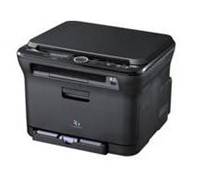
The CLX-3170 Multifunction Printer (MFP) claims to produces picture perfect results with the crisp sharp finish of a laser printer. The compact design and quiet operation make this model perfect for a small office with limited space.

The printer comes with a direct USB interface, allowing a user to print or scan a document by simply hooking s USB memory key to the port. It also comes with Samsung’s No-Nois technology that ensures noise levels stay at 46 decibels.

Available in a choice of two colours, sleek black or professional two-tone grey, this quality MFP will complement any small office space. The small footprint which is the same size as a folded newspaper (415mm x 360mm x 311mm) and has a multitude of functions (print, copy, scan and fax.

Availability and Pricing

The CLX series will come with the following RRP:
CLX-3175: $499 (Available December 1, 2008)
CLX-3170FN: $599 (Available Now)
CLX-3175FN: $599 (Available Now)

See: www.samsung.com.au

Logitech Protects With New Security Cameras

Users can now see what is going on inside their home or office as Logitech launches its video security camera line-up.


Click to enlarge
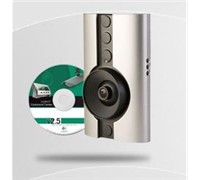
According to the company, the two PC-based security cameras feature do-it-yourself (DIY), 15-minute setup; motion-activated e-mail alerts and free remote viewing on any PC with an Internet connection.

Logitech’s General Manager for ANZ, George Saad said, “Logitech is proud to bring its video security family of products to market in Australia and New Zealand. By harnessing the power of digital video, as well as the PC and Internet technology, we’ve made it easier for you to feel peace of mind in your home or at your business.”

The first two Logitech video-security cameras are available as starter packs or add-on cameras. They include the Logitech Indoor Video Security Master System, the Logitech Outdoor Video Security Master System, the Logitech Indoor Add-On Camera and the Logitech Outdoor Add-On Camera.

Logitech’s wireless video security system uses innovative HomePlug technology, which connects and transmits video data over your home’s existing electrical wiring. As a result, you’ll be up and running in 15 minutes – with no new wires to run and no network configuration.


Click to enlarge
Once you’ve installed your camera(s), you can watch live video or review recorded video. The intelligent cameras detect motion and record video directly to your PC’s hard drive for easy playback and archiving. To give you easy access, the intuitive PC-based interface lets you easily navigate and set your preferences.

If there’s motion at your home or business, you can configure the system to send you e-mail or mobile-phone alerts. Additionally, you can log in to your password-protected online account to view live video online from an Internet-connected PC.

For maximum coverage, you can add up to six Logitech Indoor or Outdoor Cameras in any combination.

Pricing and Availability

The new Logitech video security products are expected to be available in Australia by October.

For the Logitech Indoor Video Security Master System and the Logitech Outdoor Video Security Master System, the suggested retail price is $499.95.

For the Logitech Indoor Add-On Camera, the Logitech Outdoor Add-On Camera or the Logitech, the suggested retail price in Australia is $399.95.

See: www.logitech.com