Smart Office

Review: Samsung N220 With Optus Mobile Broadband

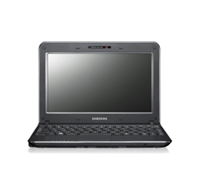
The Samsung N220 is a netbook that is exclusively available to Optus users. Its built-in 3G quad-band module allows you connect to the Internet wirelessly, while its 6-cell battery provides enough juice to last half a day.


Click to enlarge

The N220 is available in two colours – red or green, with the glossy lid being a major problem as it is prone to fingerprints. In terms of connectivity, the N220 has three USB ports, a D-Sub port, Ethernet, microphone-in and headphone-in jacks, and a 3-in-1 card reader.

Like any other netbook in the market, the N220 has an Atom processor (N450 at 1.66 Ghz), 1GB of RAM, 250GB of storage space, and wireless connectivity (802.11 b/g/n). It also comes with Bluetooth (2.1 + EDR) and 3G quad-band module for wireless internet access (SIM card located underneath).

Take note that while the netbook is exclusively available to Optus, it the wireless module is not network-locked. This means that users can use their own SIM card (such as 3 or Telstra) to gain access to the Internet.

Opening the lid reveals a 10.1-inch LED screen with a maximum resolution of 1024 x 600, a web camera, a chiclet keyboard, and a touchpad. The unit runs on Windows 7 Starter and comes with various Samsung programs such as – Battery Life Extender, Easy Display Manager, Easy Network Manager, Samsung Recovery Solution 4, Support Centre, and Samsung Update Plus. A trial version of McAfee and Microsoft Office 2007 are also pre-installed.


Click to enlarge

We found the N220 a joy to use. The keys on the netbook were well-spaced and made it easy for us to type word documents while on the go. Getting online was simple – all we had to do was to click on the connect icon. The unit was also able to handle HD videos without slowing down, although we had to make sure that no other program was running in the background.

Audio quality was good for a netbook, thanks to its 2.1 channel speaker. The subwoofer was able to add depth to explosions in action movies and was also able to improve the sound in various audio tracks.

Battery life was quite remarkable too. During our battery drain test, the N220 lasted 329 minutes, which equates to about 10 hours of normal usage.

Overall, the Samsung N220 is a solid netbook for users who want to stay connected throughout the day. It sometimes lags as it lacks the horsepower to keep up with the default operating system, but this can easily be remedied by purchasing a 2GB RAM stick.

The N220 is available at Optus dealers nationally for $49.99 (2GB) or $69.99 (5GB).
New Samsung LED Notebook Delivers

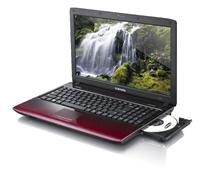
The Samsung R580 is a stylish notebook that uses the latest hardware, comes with a lot of support-based software, and will last for hours with its battery-saving features.


Click to enlarge

The lid’s ‘red infused crystal finish’ and distinctive S-pattern gives it a sophisticated look. The durable casing helps minimise scratches, while the black-red gradation and finish masks fingerprints and smudges.

Samsung has included quite a number of ports on the R580. It has four USB ports (one with a chargeable USB function and one eSATA + USB), an ExpressCard slot, HDMI out, D-Sub, Gigabit LAN, microphone and headphone port, and a DVD burner. It also comes with Wi-Fi (802.11 b/g/n), Bluetooth, a 1.3-megapixel camera, and a built-in microphone.

The island-style keyboard is well-spaced and made it easy for us to type. The touchpad is integrated onto the casing but can still be felt (and seen) as the scroll area is rough and the corners are LED-lit. The touchpad also supports gesture functions, allowing us to scroll, zoom in/out, or rotate photos. The 15.6-inch LED screen (with 1366 x 768 resolution) is bright and produced good colours during our video test.

The unit is powered by Intel’s new Core i5 processor (520M at 2.4Ghz), uses Nvidia’s GeForce GT 330M (1GHz) video card, and has 4GB of RAM. This fairly powerful hardware allowed us to run multiple programs without experiencing massive slowdowns. Running 3DMark revealed that it can play some of the latest games, with the R580 gaining a score of 16524 on the 03 version and 7448 on the 06 version.


Click to enlarge

Besides being pre-installed with Windows 7 Home Premium (32-bit), McAfee Security Center [sic], Cyberlink DVD Suite and Microsoft Office (60-day trial), Samsung has also included a couple of security and support software to help users get the most out of the notebook.

One pre-installed program that we found useful is FailSafe, a program that can track, retrieve and delete data from the notebook remotely. The Samsung Recovery Solution backs up important data and restores it when a problem occurs, while the Samsung Update Plus automatically searches, downloads, and installs the “most optimal versions of pre-installed Samsung software and drivers for your system”.

Whether or not these tools are useful for users is another question, but we’d rather have a couple of programs that can help us get things done than doing it by ourselves.

The R580’s 6-cell battery lasted for 136 minutes in our DVD test, but users can definitely extend its life by turning on the power-saving functions.

The Samsung R580 (with i5 processor, GeForce GT330M video card) is available now for $1399.

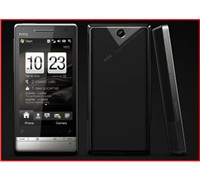
New HTC Diamond A Great Smartphone

The Touch Diamond2 has a lot of new and improved features that make it one of the few Windows Mobile based phones worth looking at this year. This HTC smartphone is definitely better than its predecessor and will simplify the way users communicate.


Click to enlarge
The Diamond2 is one slick-looking phone with its stainless steel front and glossy piano-black rear. It sports a 3.2-inch WVGA touch screen (800×400), with HTC including four buttons (Call pick up, Start Menu, Back, and Call End/Home) as well as a touch-sensitive zoom bar (which we will be discussing later) below the screen. It also comes with a 5-megapixel camera and a VGA camera used for video calls and conferences.

The mini-USB port on the base of the handset is used for charging and synchronising your phone, as well as connecting the proprietary headphone. Unfortunately, the unit does not have any 3.5mm headphone jack.

HTC’s TouchFLO interface always made it easy for us to access our contacts, multimedia files, and phone settings. The Diamond2 uses the latest TouchFLO interface we love, with HTC adding more subtle but useful features to strengthen the system. One great example of this is the ‘People Centric Communication’ feature that allows a user to see a contact’s details, text messages, e-mails, as well as call history in one window.


Click to enlarge
Another thing that sets this unit apart from other smartphones is its zoom bar. If you need to zoom in on images or want a closer look at a webpage, all you need to do is to slide your finger to the right. Conversely, sliding your finger to the left will zoom out the image or webpage. This function also works well with the Google Maps app (pre-installed on the Diamond2).

In terms of features, the Touch Diamond2 comes with the lot. It is HSDPA-enabled, comes with Wi-Fi, GPS, and Bluetooth, and supports Microsoft Exchange E-mail. The 528MHz Qualcomm processor as well as its 512MB of memory ensures that the unit will run smoothly with minimal lag and loading times.

The Diamond2’s default on-screen keyboard is small and cramped, which made it difficult for us to compose text messages. Fortunately, other input methods were available, giving us the option to choose how to type numbers and text.

Finally, users would be happy to know that the Diamond2’s battery life has improved dramatically. With the Wi-Fi turned on and with us using the unit to call, text, and send e-mails occasionally, the unit lasted for almost two days.

Overall, the new HTC Touch Diamond2 is more for business-oriented users who want to stay on top of things. The HTC Diamond 2 will be available through Optus with pricing and plans to be released by the carrier.

World First 512GB Flash Notebook Revealed

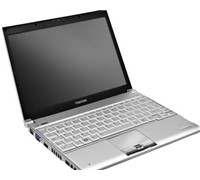
Toshiba has today unveiled the world’s first notebook that comes with a 512GB solid state drive.


Click to enlarge
Unlike other notebooks that use a hard disk drive (HDD), the Toshiba Port_g_ R600 has no mechanical or moving parts.  Using a 2-bit-per-cell multi-level NAND flash memory at the 43nm process generation, the Port_g_ R600 now has the world’s largest SSD capacity.

Toshiba’s Business Product Marketing Manager for Australia and New Zealand, Matthew Tumminello said,  “Toshiba was the first to innovate the notebook computer more than 20 years ago, and today we’ve stepped up the mark again to the world’s first notebook with 512GB SSD. With a 512GB SSD, the ‘rugged’ Port_g_ R600 not only keeps your data safe, but saves energy and gives you more room to store your most valuable information.” 

To allow the new SSD to cut power consumption, Toshiba has developed a new controller that enables high-speed parallel processing with the multi-level NAND flash memory.  This claims to cut power consumption by approximately 50 percent while boosting data access speeds to approximately 200% for read and 150% for write.

Additionally, the Port_g_ R600 has an energy-saving design that cuts power consumption by adopting an ultra-low voltage CPU and sports a trans-reflective LCD for more visibility.

The Port_g_ R600 weighs 1.095kg, is only 19.5mm thin, and has a battery operation of up to 8 hours.
 
The Port_g_ R600 will be available in Australia from June and will come with 3G mobile broadband for $4,999.

See: www.isd.toshiba.com.au

Asus Atomises Eee PC

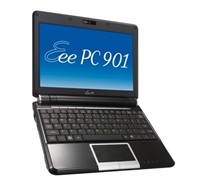
Asus is set to roll out a new Eee PC that will run on Intel’s new Atom processor, making the ‘world’s easiest PC’ perform better than ever.


Click to enlarge
The Eee PC 901 will make use of the Intel Atom processor – Intel’s smallest processor built with the world’s smallest transistors. In addition, the Eee PC 901 is equipped with Asus’ Super Hybrid Engine technology that will prolong battery life, Bluetooth, and pre-N wireless module for advanced mobile computing.

Designed to sustain hard bumps and shocks with its built-in Solid State Drive (SSD) technology, the Eee PC 901 is also quiet, produces less heat and is energy saving for reliable and stable computing on-the-go. Furthermore, with the Super Hybrid Engine technology users can easily adjust CPU frequency, voltage and LCD brightness to minimise system noise and energy consumption to save up to 15% power, or maximise performance according to individual needs.

Finished in IMR for a sleek look, the Eee PC 901 will be available in Pearl White and Shine Black.

With the choice of Windows XP (12GB SSD) or Linux (20GB SSD) operating system, the Eee PC 901 enables users to easily function to suit differing requirements. The 8.9″ display screen with 1024 x 600 resolution allows users to view a single A4 page without the need to scroll left or right. The unit also comes with a 1.3-megapixel webcamera for easy web meetings.

The Eee PC 901 will be available in Australia late June 2008 with a recommended retail price of $649.

See: au.asus.com

Seagate First With 3TB External Hard Drive

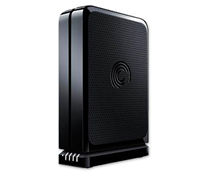
Seagate unveiled the first 3 terabyte external desktop drive in the world.


Click to enlarge

The 3TB FreeAgent GoFlex Desk external hard drive can store up to 120 HD movies, 1,500 video games, thousands of photos, or countless hours of digital music. The 3TB GoFlex Desk external drive’s USB interface can easily adapt into a USB 3.0 or FireWire 800 connection to meet speed needs.

Seagate’s Executive Vice President of Sales, Marketing and Product Line Management, Dave Mosley said, “Consumer capacity demands are quickly out-pacing the needs of business as people continue to collect high-definition videos, photos and music.”

“Seagate has a tradition of designing products that break into new storage frontiers to meet customer requirements and the 3TB GoFlex Desk external drive is no exception-delivering the highest-capacity storage solution available today,” added Mosley.


The GoFlex Desk external drive delivers unconstrained, high-capacity storage and automatic, continuous backup with software file encryption to help keep all data safe and secure.

The standard USB 2.0 interface can be upgraded to USB 3.0 or FireWire 800 by coupling the drive with the appropriate GoFlex desktop adapter to increase file transfer performance by up to 10x for easier copying or sharing of files.  

It is compatible with both the Windows operating system and Mac computers. Each drive includes an NTFS driver for Mac, which allows the drive to store and access files from both Windows and Mac OS X computers without reformatting. The NTFS driver is simply installed once on a Mac computer, allowing it to read and write files on a Windows formatted drive. Its sleek black, 3.5-inch design sits either vertically or horizontally to accommodate any desktop environment.

The 3TB GoFlex Desk external drive with USB 2.0 adapter can be purchased through select retailers and resellers for $499.

Lenovo X100e For Business Travellers

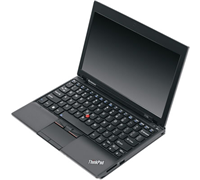
Aimed at business users, the Lenovo ThinkPad X100 is an ultraportable and affordable notebook that has more grunt than your average netbook.


Click to enlarge

This 11.6-inch notebook weighs 1.5kg and fits easily inside a small bag. The X100e makes do without an optical drive but comes with three USB ports, a 4-in-1 card reader, D-Sub out, Ethernet, and microphone/headphone combo jack.

In terms of specification, it utilises AMD’s Athlon Neo Processor MV-40 (1.6Ghz), ATI’s Radeon HD 3200 video card (500MHz), has 2GB of RAM, and 250GB of storage. It comes pre-installed with Windows 7 Professional (32-bit), Lenovo’s ThinkVantage Tools and Online Data Backup, Microsoft Office 60-day trial, and Microsoft SQL Server 2005 Configuration Tools.

Opening the lid reveals a full-sized and spill-resistant ‘island-style’ keyboard that has well-separated and curved keys. Lenovo has also included its TrackPoint pointing device and a multi-touch touchpad that allows you to zoom, scroll, and rotate. As the touchpad’s buttons are located along the edge of the notebook, it can accidentally be pulled upwards, especially while opening the lid. The unit also comes with a low-light-sensitive camera that can be used for both normal and poor lighted areas.


Click to enlarge

Like the ThinkPad Edge, the X100e comes with Power Manager 3 that changes power settings (High Performance – High Energy Savings), adjust power plans, check battery life, and show battery status. The Access Connections toolbar is located on the Windows Taskbar and shows you the wireless network’s signal strength as well as help you connect to available networks. Finally, it also comes with the ThinkVantage Toolbox that shows you the overall health of the notebook.

The 11.6-inch HD display has a native resolution of 1366×768 and can get very bright. The speakers are located at the bottom of the notebook and could get loud without sounding tinny. During our video playback test, the X100e lasted 167 minutes, which is surprisingly short for a notebook with a 6-cell battery. Lowering the brightness and using the headphone jack can extend the battery life. The unit charges from 0 to 100 per cent in about one hour 40 minutes.

The Lenovo X100e is the perfect netbook alternative, thanks to its noteworthy specifications, big HD screen, battery-saving features, and in-built hardware/software support. It is available now for $999.

Vodafone Predicts Big Demand For Storm

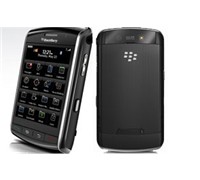
Vodafone has revised its launch timing for the BlackBerry Storm to ensure that it can meet ‘unprecedented demand’ from across Australia.


Click to enlarge
Vodafone has ordered a second shipment of BlackBerry Storm and will begin selling the smartphone from Vodafone retailers on Friday, December 5, 2008.

Vodafone will email all prospective customers who have pre-registered for BlackBerry Storm, inviting them to complete their Storm purchase online. In addition to receiving an 8GB microSD card, online customers may also receive their device a day before the official in-store launch date of December 5.

Vodafone Australia’s CEO, Russell Hewitt said, “BlackBerry Storm has sparked the imagination and anticipation of Vodafone customers around the world. In the UK, we’ve been selling a Vodafone Storm every 13 seconds, and on the basis of demand from our pre-registration process, which is well into the thousands, we’re expecting demand to be just as hot here in Australia.”

Vodafone Australia has also announced that it would heavily subsidise the BlackBerry Storm in Australia to provide it to customers for $0 while offering Vodafone customers unlimited BlackBerry email and internet from as little as $69 per month.

See: www.vodafone.com.au/blackberrystorm.

Samsung Does A Photo Finish With New Phone

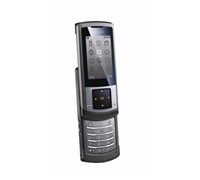
In tune with Samsung’s 2008 Beijing Olympics campaign, the company has launched its new flagship phone, the U900. This 3G handset comes with a 5-megapixel sensor and Adaptive Touch Window for added versatility.


Click to enlarge
The Samsung U900 possesses a full metal body and has an Adaptive Touch Window technology that allow users to change the navigation panel’s icons according to function. For example, when in music mode, music related icons will light up on the navigation indicators. When in camera mode, camera related icons such as zoom and brightness icons will appear. With haptic feedback on the Touch Window, the vibration strength and sensitivity can be adjusted to your liking.

Samsung Mobile’s Director, Josh Delgado said, “Available from July, the Samsung U900 will be our biggest mobile campaign to date in Australia. This reinforces its flagship status as the hero for our exclusive Olympic sponsorship activity, which will reach 20 million Australians alone via the TV broadcast. This will in fact be the first Samsung mobile phone since 2005 that will feature across every Australian mobile carrier simultaneously. I am confident and excited that the Samsung U900 is set to be one of our historical best selling mobile phones.”

The U900 also has a 5-megapixel camera with Image Stabiliser and Auto Focus, Wide Dynamic Range that improves photo quality by preserving image data in bright spots to reveal more detail in shadows or backlit areas, and a Face Detection that recognises and focuses on faces.


In addition, the embedded ShoZu software offers seamless, reliable and easy access to edit a range of social networking sites including Facebook and YouTube.

The Samsung U900 also offers super fast internet speeds of 7.2Mbps HSDPA and harnesses ICEpower technology by Bang & Olufsen to deliver superior audio fidelity and professional-sounding music reproduction. To complete the ultimate listening experience, the multi-format music player features a dedicated music interface to make navigation easier. FM Radio with RDS and Quick PC Sync software plus USB 2.0 for seamless music transfers between your computer and phone.

“We wanted to create a complete multimedia mobile phone which encompassed both functionality and beauty. The Samsung U900’s minimalist exterior hides a wealth of hi-tech features that will meet the demands of the both style and tech-savvy consumers,” added Josh Delgado.

The U900 will be available next month. Pricing is to be announced Pricing of the U900 will be announced

See: www.samsung.com.au

Olin Wireless Charger Very Limited

Following our review on the new Uniden Power Pad last week, we were curious to see how the new Olin Wireless Charger For iPhone would compare.


Click to enlarge

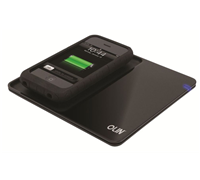
Like the Uniden Power Pad, the Olin Wireless Charger is easy to use. Every time we needed to charge the unit, we simply had to drop it on the mat. Out of the box you get an AC adaptor, charging pad, and a receiver sleeve for the iPhone.

Once the iPhone in placed in the receiver sleeve, a user can place it onto the charging pad for charging. The blue light will illuminate during the charging process and will switch off as soon as the charging is done. Olin says that the wireless charger comes with over/under voltage protection, short circuit protection and overcharge protection.

Since the package only comes with one sleeve, you can only charge your iPhone out of the box. In addition, the pad only has enough space for the iPhone, making it very limited. It could have been better if Olin added an accessory similar to Uniden’s Power Disc to charge other products, but as of this time of writing, it seems that there isn’t any.

It took about two hours to fully charge our iPhone. During our test, we heard a faint but annoying ticking sound coming from the unit. It is only by turning up our digital radio that we were able to drown the sound.

Overall, we found the Olin Wireless Charger For iPhone to be very limited. Sure it charges your iPhone, but for $149, we were expecting more from this product. If you want a wireless mat that can charge more than your iPhone, then we recommend the Uniden Power Pad Deluxe Kit that comes with the pad, an iPhone sleeve and a power disc with 8 interchangeable tips for $179.95.