Smart Office

A Targus Notebook Case For Extra Large Notebooks

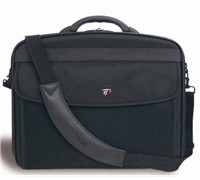
Targus has launched the X-Ec 20″ (XXL), a notebook case that made from a combination of nylon materials that claims to hold notebooks with screens up to 20 inches.


Click to enlarge
The company claims that the case features internal dividers which can be moved to house hardware securely. It also has a moulded handle that promises total comfort combined with durability, as well as multiple accessory pockets and a large expanding file section that allow a user to store everything they need.

Key Features

  • Notebook compartment designed to fit notebooks with up to 20″ screens
  • Notebook case in a clamshell design with zip-down workstation containing pockets and holders for business accessories, file section with two dividers for all your document requirements
  • Equipped with moulded handle and a padded, removable & adjustable shoulder strap for comfort carrying

Product Specifications

  • Colour: Black
  • Exterior Dimensions: 51 x 44 x 11 cm
  • Interior Notebook Dimensions: 47.5 x 6.2 x 35.2 cm
  • Material: Nylon
  • Weight: 1.9 kg

See: www.targus.com/au

New Palm Smartphone Embraces Windows

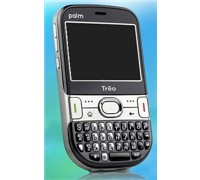
Palm has unveiled the Treo 500 – a 3G smartphone that runs on Windows Mobile 6, features a full QWERTY keyboard, large screen, and offers a ‘comprehensive multimessaging’ functionality.


Click to enlarge
Palm’s Country Manager for Australia and New Zealand, Olivier Rozay said, “Today, people are looking not only for devices that give them access to their email and business documents on the go but also for compact devices that offer high-speed access to the Internet and multimessaging capabilities. Palm is confident the Treo 500 smartphone will appeal to business customers as well as the growing group of consumers looking for the functionality and ease of use that the Treo 500 smartphone offers.”

According to Palm, customers can manage documents using mobile versions of familiar Microsoft applications such as Outlook, Office, and Windows Live for Windows Mobile. Users can also share the Treo 500 smartphone’s data access with a laptop, so they can stay connected anywhere within the wireless coverage.

Treo 500 Features:

  • Access to Gmail, Hotmail/MSN and Yahoo! email
  • Full keyboard for fast and easy typing
  • Large, high-resolution screen
  • Microsoft Internet Explorer Mobile web browser
  • Windows Live online services, including MSN Messenger
  • Up to 3G speeds
  • Organiser with address book, calendar, to-do lists, and notes
  • 2.0-megapixel camera
  • Windows Media Player Mobile
  • Windows Mobile 6 Standard operating system
  • Microsoft Office Mobile for viewing and editing Microsoft Word and Excel compatible documents and viewing PowerPoint and Adobe PDF files
  • 150MB of user-available memory, expandable with microSD expansion card
  • Microsoft Direct Push technology for delivery of Outlook email
  • Bluetooth wireless technology

Pricing and Availability

The Treo 500 smartphone is available for $649 from select retail stores, including Harris Technology and is approved on the Optus network.

See: http://www.palm.com/au/treo500

Motorola Rokr Phone Bundle Disappoints

Listening to music stored on your mobile phone wirelessly via a set of Bluetooth headphones sounds like a good idea, so why aren’t we blown away by Motorola’s new Z6 mobile phone and S9 stereo Bluetooth headphone bundle?


Click to enlarge
The Motorkr Duo comprises of the Rokr Z6 phone and S9 Bluetooth Stereo Headphones that can be connected to the phone or any other devices. The slider phone has a 2-inch screen, push bar (for easy sliding), left soft key, right soft key, music library key, clear/back key, answer key, end/power key, 4-way navigation key (which second functions as a control song playback), and middle button up front. Users can find the volume keys and side select key on its left spine, while the voice command key, camera key, and mini-USB port can be found on its right. A 2 Mega Pixel camera sensor can be found at the back of the Z6, with the microSD card inconveniently placed inside the casing.

The S9 is a wireless headset that can be charged using its mini-USB port located at the back of the unit and comes complete with buttons (volume up and down button, call button, play/pause button, next and previous track button) for easy music control. It also has an indicator light that shows the status of the headphone.


Click to enlarge
Performance:

The Rokr’s main menu is responsive and was easy to navigate. Pressing the right soft key or the middle button immediately brings up the main menu which consists of Music, Contacts, Office Tools, Web Access, Messages, Multimedia, Games, Help, and Settings.

Accessing the Music option allows a user to immediately access their music files in the Music Library or connect to the Motorola Aria Charts website. The Office Tools option displays recent calls, calendar, e-mail accounts, Motosync functions, download manager, file manager, alarm clock, world clock, SIM applications, calculator, dialling services, task list, and notes. Web Access launches the Motorola browser and provides mobile Internet access to users, while the Message menu displays text messages and retrieved e-mails. The Multimedia menu allows access to music, photo, and video files in addition to camera, video camera, and voice recorder functions. Users can also have fun with the Motorokr as it comes pre-installed with Tetris and Sudoku.

Despite touting itself as a ‘music’ phone, we were disappointed to find out that the phone only had a 64MB phone memory and a gigabyte microSD card. Moreover, the microSD card slot on the phone is not hot-swappable, forcing users to take out the back cover and battery before changing the memory card. The included Bluetooth headset (S9 Bluetooth Stereo Headphones) was very uncomfortable to use as it cannot be adjusted in any way — some of us found the headset to be too loose, while others found it too tight. It could have been better if Motorola gave users the chance to adjust the headset according to the size of their heads.


Click to enlarge
The phone supports various music files (MP3, WMA, AAC, AAC+, and WAV) and can be transferred from the PC to the Rokr Z6 via the mini-USB port and Windows Media Player. The Music Library Key displays music files by Playlists, Artists, Albums, Genres, Composers, and even allows a user to search various songs. Users listen to loaded audio tracks by using the phone’s built-in speakers, the S9 Bluetooth headset, or the bundled wired headset. The S9 works without a problem so long as the headset is near the phone. Once it is moved further away from the ‘recommended’ area, users will experience drops, ‘fast forwarding’, and even Bluetooth interference.

The Rokr comes with a Voice Command feature that lets a user ‘tell’ the phone what to do. Although this feature is handy, we found it difficult to use. The unit was able to recognise some commands, but not all. It gets annoying when it doesn’t as it keeps asking you to repeat the command. It’s just a shame that you cannot calibrate the function, and program the Voice Command to recognise your voice and accent.

The photos we took using the Rokr’s 2-Mega Pixel camera were mediocre at best, but it’s good enough for taking candid shots between friends and loved ones. Advanced options like zoom adjustments (up to 8 times), photo style (black and white, antique, negative, reddish, greenish, bluish, colour), time/date stamp, exposure settings, and lighting controls can be easily accessed in the menu, while flash adjustments, auto-timer, and multi-shot settings can be set by going into the options sub-menu.


Conclusion:

While we were disappointed with some of the phone’s features and functions, the Motorokr Z6 is a phone still worth purchasing for its easy interface, clever functions, long battery life, and music functions. Add the S9 headset to the equation and you have a good wireless duo you can use during your daily commute.

Product Specifications:

Display Type: 2-inch, 320 x 240 262k TFT screen
Form Factor: Slider
Connectivity: Bluetooth, USB 2.0
Audio Files Supported: Windows WMA plus Janus DRM, AMR NB, XMF, MP3, AAC, WMAv10, WMAv9, AAC + Enhanced, AAC+, WAV
Camera: 2 Mega Pixel, Digital Zoom, Fixed Focus, Flash-LED
Memory: 64MB
Removable Memory: microSD card (1GB included)

Dimensions: 105.5mm x 45.5mm x 16mm
Weight: 115 grams

———————————–
Motorola Motorokr Duo (Z6 Mobile Phone and S9 Bluetooth Stereo Headphones) | $579 |  | www.motorola.com.au

For: Form factor; Bright screen; Easy to use applications; Bluetooth headset works well; Battery life
Against: A music phone with minimal memory; Headset cannot be adjusted; No way to use favourite headphones
Verdict: A music phone with limited memory for audio files.

Affordable Big Screen Sat-Nav

This sat-nav system may not have a recognisable brand name on its packaging, but it does provide a wonderfully large, readable screen at a price that won’t break the bank. We take the Accura 7010 for a test drive…

Satellite navigation systems are undeniably useful tools to have in the car, they direct you to your destination with ease. And while portable sat-navs are very convenient, they often have small screens, which can make maps hard to read whilst driving. The Accura device is not portable, you can only use it in the car, but its 7-inch screen is definitely large enough to read.


Click to enlarge
In fact, the screen is probably the first thing a user will notice upon removing the 7010 from its packaging. The unit only has four buttons up front (power button, menu key, volume up, and volume down) and has a remote sensor for the optional remote control accessory. The unit has an SD/MMC card slot, AV-in jack, and a headphone jack on its left side, while a reset button, USB host slot, mini-USB slot, TMC receiver port, and power jack can be found on its right. One can locate the GPS antenna, stylus, speakers, mount holder, and external GPS connection terminal at the back of the unit.

Out of the box, the 7010 comes with a car mount, SD Memory card (with the pre-loaded maps), USB cable, Cigarette lighter adaptor, and AV-in cable for hooking up various portable video sources. Users must connect a power source to the unit (either by using the cigarette lighter or AC adaptor) as the 7010 does not have any built-in rechargeable battery. Unfortunately, the 7010 does not come with any AC adaptor, forcing users to either purchase a separate AC adaptor or hook up the unit to their car.


Click to enlarge
Performance:

The main menu consists of eight icons (Navigation, Multimedia Player, Image Viewer, AV In, Memo, Game, Clock, and Configuration) that launch various tasks when pressed. The main menu screen also displays the time, a mute icon, and an icon that turns the FM transmitter on or off.

The Multimedia function allows a user to play audio (MP1, MP2, MP3, MPA, MKV, MKA, OGG, and OGM) and video files (AVI, DivX, MP4, M4A, MPEG, MPG, MPV, DTA) accessed from the memory card slot or USB slot. The unit can also display images (TIFF, PNG, JPEG) using the Image Viewer software. The two programs were fairly easy to use, with all the icons labelled properly. Users can connect their portable DVD players (or any device with an AV composite port) to the 7-incher by using the provided cable. The 7010 was able to display the videos from the source without any problems but returns to the main menu once the screen is touched or the main menu hotkey is pressed.

One can write down a reminder on the Accura 7010 using its Memo program. Using the stylus, you can write a note directly on the screen, save it, and access it at another time. The current date and time are displayed on the entire screen by clicking on the Clock icon but is limited as it does not have any other functions. While the FreeCell game feels out of place, it’s still a welcome addition to the 7010 navigator. Finally, users can adjust the brightness, calibrate the screen, adjust the FM settings, display the system information, and change the language by accessing the Configuration menu.


Click to enlarge
In order for users to gain access to the Navigation function of the unit, Accura’s SD card (made especially for the 7010) must be inside the card slot. Upon launching the software, users can either find a destination (using the address, coordinate) or go to pre-determined destinations (history, POI, home, and work) or view the map immediately using the cockpit or map option. The two map screens display the map in a similar way but perform differently in terms of functions. The map function is mainly used without the need for a GPS signal to browse the map, create new points of interests (POIs), or just plan your route. On the other hand, the cockpit mode is used for driving purposes as it displays the current street that you are on, the speed limit of the street, your current speed, and other route in 3D mode.

The navigation device took some time before obtaining a signal but its large 7-inch screen was able to make it easier for us to see the road ahead. The 7010 was able to display the next turn, the distance left, the time left, and the estimated time of arrival (ETA). The map was also able to show nearby POIs and pinned locations, while warning us when we were going over the speed limit. Although we did not have a hard time going to different places with the Accura 7010, we have found several instances wherein the unit told us to enter the roundabout even if there was clearly no roundabout in sight.

The navigation system also lacked a Text-to-Speech function, leaving us with instructions like ‘in 100 metres, turn left’ instead of telling us the exact road that we would be turning on. Also, since the SD card acts like a ‘key’, it must not be misplaced by users. Otherwise, the Mapping software will not launch and uses will be stuck with a navigation device without navigating features. Finally, users will not be able to use the 7010 outdoors as it does not come with any built-in batteries.


Conclusion:

A widescreen navigator packed with a lot of features – that is what the Accura 7010 is all about. Although we have found some of its features to be good (like the Multimedia, Image, and AV-in) when travelling, the absence of an internal battery made it impossible for us to use this product outside the car. This navigator could also have been better if it included an AC adaptor with the bundle and its mapping software installed in its memory rather than it being stored in an SD card. The process of swapping the SD cards (between media files stored in a card and the mapping software) may result to accidental misplacement of the card, therefore losing the main navigation function of the 7010.

Product Specifications:

GPS Module: SiRFStarIII
CPU: Samsung S3C2440 (400MHz)
ROM:  64MB NAND Flash
RAM: 64MB SDRAM
OS: MS Windows CE.NET 5.0 (Core version)
Power Input: 12V, 2A
LCD: 7-inch Landscape TFT Touch screen
TSP: 4 wired
Brightness: 450 cd/m
Storage: SD/MMC slot
Multimedia Format:
– Video: VideoFile (AVI, DivX), MPEG4 File (MP4, M4A), MPEG Movie File (MPEG, MPG, MPV, DTA)
– Audio: MPEG Audio File (MP1, MP2, MP3, MPA), Matroska File (MKV, MKA), Ogg Vorbis File (OGG, OGM)
– Image: JPG, TIF, PNG
Audio:
– Earphone: Stereo output port
– Speaker: 1W
Unit Interface: USB 1.1 Client, USB 1.1 Host, AV-in
Antenna Type: Built-in antenna
Dimension: 188 x 120 x 25mm
Weight: 372g

————————————
Accura GPS Navigation 7010 | $499 |  | www.crkennedy.com.au

For: Big screen; AV-in port; Video/Audio/Photo playback; FM Transmitter; Good navigation software; TMC receiver; USB host and client
Against: No AC adaptor included in the package; No built-in battery; SD card with mapping software needed to run navigation software; No Text-to-Speech (TTS) function; Maps have ‘ghost’ roundabouts; Some problems with route recalculations
Verdict: Needs improvement on its hardware to be a navigation system well-worth recommending.

Sleek, Book-Sized Asus PC Not For Gamers

Figuring out where to place your PC can be tough, especially if space is an issue. The Nova P22 is Asus’s answer to users who want a small PC (this one’s a little larger than the latest Harry Potter book) that is easy to hook up and comes with programs to support them every step of the way.


Click to enlarge
The most surprising thing about the Nova P22 is its small profile. With a dimension of 231.14 x 184.15 x 50.8 millimetres, this small form factor (SFF) PC can be placed on top of any desk without looking messy. Out of the box, users will be able to find the PC, a remote control, a DVI to D-Sub adapter, a mini jack to S/PDIF adapter, an AC adapter and power cord, a stand, and two DVDs used for system support and recovery.

This piano black PC goes with the minimalist approach and makes do without the complicated buttons and ports, making it easy for anyone to get the Nova started. Up front, users can find a slot-in optical drive, an optical drive eject button, a touch sensitive power switch, an IR port (for the remote control), and built-in speakers. The back of the computer hosts four USB ports (two of which will be used to connect the keyboard and mouse), a DVI port, an Ethernet port, a line-in jack, headphone jack, and microphone jack. A docking connector at the bottom of the unit is present at the bottom of the unit and will be used by Asus for future expansion of the Nova P22.


Click to enlarge
Performance:

The unit can either be placed horizontally or vertically, depending on what users want. It is powered by an Intel Core 2 Duo 6320 (1.86 GHz), has a gigabyte of RAM, uses an Intel Graphics Media (GMA) Accelerator, making it unsuitable for graphic-extensive games. To minimise the number of wires connected in the Nova, Asus has equipped this small wonder with wireless (802.11n) and Bluetooth connectivity. The hard drive has two partitions: one with the Windows Vista software (40GB) and another for keeping files and programs (120GB) separate.

The PC runs Windows Vista Home Premium and comes with programs like Norton’s Protection Centre (with a 90-day subscription), Intel Viiv software that allow users to hook up the unit to view media files in a home or office network, and an Asus Easy Update program that can be used to keep the Nova’s firmware up-to-date.

The gigabyte of RAM was not enough in giving us a smooth Windows experience as it struggled to run several applications at once, resulting to major slowdowns. What’s worse though is the fact that users cannot do a hardware upgrade by themselves, as opening the unit up immediately voids the manufacturer’s warranty.

Users may be able to view photos and videos, as well as listen to music on the television using the computer by setting the Nova up using the Intel Viiv Settings function. This program will allow you to adjust the settings for the router and devices connected to the network, create your network’s media library, and grant or revoke media library access at any given time.


Click to enlarge
Pressing the green Windows button on the remote automatically launches the Windows Media Centre, allowing you to watch recorded TV shows, stored photos, videos, and music files, as well as play any DVD movie. The included remote was well laid-out and is responsive, making it easy for us to browse though the main and sub menus.

The sound output for this small form factor PC was loud but lacks the ‘punch’ found in external speakers. We therefore recommend users to hook up an external speaker system to enjoy movies better.

Conclusion:

The Asus Nova P22 is a small ‘black box’ perfect for simple home or office tasks like creating word documents or spreadsheets, surfing the Internet, or for watching movies and listening to audio tracks. But because of its limited specifications, we find it hard to recommend this PC to hardcore gamers and users who often use photo/video editing software programs. Nevertheless, the Nova can be a great addition to any home because of its small profile.

Product Specifications:

  • Intel Core 2 Duo 6320 (1.86Ghz)
  • 1GB RAM
  • 160GB HDD
  • Slot-in DVD Super Multi
  • Hi-Fi Speakers, 
  • Integrated Wireless 802.11N and Bluetooth
  • Gigabit LAN
  • DVI-out
  • Windows Vista Home Premium

————————————
Asus Nova P22 | $1,699 (Bundled with VW202T 20″ Monitor) |  | au.asus.com

For: Small form factor, Easy set-up; Comes with Recovery DVD; Remote is a good addition; Wi-Fi and Bluetooth
Against: Only comes with a gigabyte of RAM; Tends to slow down when a lot of programs are opened; Not suitable for gaming
Verdict: A small box for simple home or office tasks.

A Greener Scanner From Epson

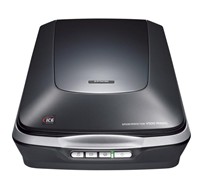
Epson has launched the Perfection V500, a scanner which the company claims to have an energy efficient ReadyScan LED (Light Emitting Diode) technology designed for professional photo scanning.


Click to enlarge
The white light LED technology is environmentally friendly as the ReadyScan LEDs contain no mercury, have low power consumption and heat dissipation, and virtually no warm up time, the company says.
 
The Perfection V500 uses a combination of 6400dpi Matrix CCD (Charged Coupled Device) and Micro Lens Technology, and can provide a faster scanning time with its 12 lines of CCD. The scanner also features Digital ICE (Image Correction and Enhancement) and Digital ICE Lite, a tool that uses both hardware and software to accurately detect and remove dust, scratch marks and finger prints from colour film and slide scans.
 
The Perfection V500 is USB 2.0 port interface compatible with Windows and Mac, comes with the latest software, including Epson Scan 3.2, Adobe Photoshop Elements, and ABBYY Fine Reader Sprint Plus.

The Epson Perfection V500 is currently available with an RRP of $499.

See: www.epson.com.au

Google Helps Voters Choose Right Candidates

Choosing the right party and candidates to vote for this year’s election is now a click away with Google Australia’s Federal Election site.


Click to enlarge
Australian voters can now have an intimate look at parties, candidates and election issues, 24 hours a day by simply logging on to www.google.com.au/election2007.

The site has a number of innovative online tools, including:

Google Maps and Google Earth

Google’s site features special Federal Election information viewable in Google Maps that will give users information about electorate boundaries, sitting members, candidates and margins.  Using Google Maps’ easy-to-use interface, users will be able to zoom and pan, and see satellite imagery and road maps of all 150 Federal seats.

Electorate boundaries and seat names will also be visible in a layer in Google Earth.

YouTube Channels

All six political parties that are represented in Federal Parliament (Australian Democrats, Family First, Greens, Labor, Liberal and Nationals) have established their own dedicated YouTube channels.  Google’s site contains links to these channels and a “gadget” that enables users to watch the parties’ latest videos on their iGoogle homepage.

Google Australia has also established its own election channel on YouTube, entitled “Australia Votes”, which will feature election content and be a forum for discussing Australian politics and the election.  It is located at www.youtube.com/australiavotes .


Innovative Election Gadgets

Google has developed four exciting gadgets that will make a wealth of Australian political information just a click away:

  • The Australian MPs ‘On the Record’ gadget allows users to research all 226 Federal MPs’ past statements on any given political issue, by searching Hansard and their personal web pages.
  • The Google News gadget enables users to search Google News for the latest Australian political news, by Federal seat.
  • The Google Trends gadget allows users to use Google’s experimental Trends feature to compare the Australian search and news volume of political issues, parties or candidates.
  • The YouTube gadget enables users to view the parties’ latest YouTube videos from their iGoogle homepage.

Google Australia’s Head of Engineering, Alan Noble, said the site showed how the internet could play a substantive role in providing information and encouraging debate. “New technologies allow a conversation with voters which has never been possible before. The internet is deepening political debate and engagement. This site is the convergence of democracy and the Internet. It enables Australian voters to research detailed political information and share their views whenever they want,” Noble said.

The Minister for Workplace Relations, Joe Hockey, said “We all need to be more aware of online campaigning and the impact it will have on this election. The Government has embraced online sites like YouTube as a way of connecting with voters and detailing our policies.”

In addition, Labor’s Environment Spokesperson, Peter Garrett also acknowledged that the web is now the number one way of getting information for many people.  “The Labor Party has a big online presence and a YouTube channel because we see it as a way to talk about our policies, to get out there and let people know what we stand for,” Garrett said.

See: www.google.com.au/election2007 and www.youtube.com/australiavotes

Kingston Launches microSDHC Cards

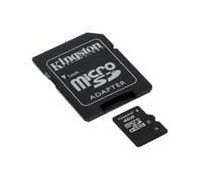
Kingston has released its new microSD High-Capacity (SDHC) flash memory card line-up, starting with a 4GB microSDHC card with a Class 4 speed rating.

The company claims that its new microSDHC 4GB card may become the predominant mobile memory standard as more handset manufacturers, including Blackberry, HTC, LG, Motorola, and Nokia have mobile phones that are or will be microSDHC-compatible.

Kingston’s Regional Manager Manager for ANZ, Vaughan Nankivell said, “As next-generation mobile phones promise cutting edge functionality in ever-smaller form factors, demands increase on hardware to deliver these features, particularly in the area of expansion memory where storage and read/write performance becomes greater. Kingston is following the natural progression of mobile technology and we timed our microSDHC roll-out to be in step as the need materialises.”

Kingston’s 4GB microSDHC card promises to hold more than 2,000 images, 1,000 digital music tracks or up to 8 hours of MPEG4 video. And while identical in physical size to the original microSD card, microSDHC is compatible with microSDHC host devices only.

See: www.kingston.com

Asus Eeeasy-To-Use Notebook

Forget about notebooks or desktops that have unnecessary programs that confuse users rather than help them. The Asus Eee PC is a notebook that will make learning, working, and playing a lot easier with its simple and user-friendly programs.


Click to enlarge

The Eee PC is primarily targeted to children aged 6 and above, but Asus says that its notebook also caters to second PC users, travellers, and even senior citizens with its lightweight profile and easy interface. There are two colours available for the Eee PC as of this moment (pearl white and black), but there may be a possibility that other colours (pink, blue, and green) will be available for sale as the Eee PC box show six different models.

Users can find an Ethernet port, an optional RJ-11 (Modem) port, a USB port, a Microphone jack, and a Headphone jack on the left side of the PC, while a memory card slot, two USB ports, a D-Sub output, and a Kensington Lock port can be found on its right side.

The 7-inch screen, 0.3 mega pixel web camera, keyboard, and trackpad can be found upon opening the display panel. The keys are quite small, making it difficult for people with large hands and fingers to type on the notebook. The trackpad is responsive and did not give us any problems despite its small scroll space, although it is still better if one hooks up their own mouse via USB.


Click to enlarge
Performance:

With an Intel Celeron M processor, 512MB of RAM, and 4GB of storage, the Eee PC may not be the most powerful notebook around, but it can surely run all its programs without a hitch. It only took less than 30 seconds for the system to boot up, allowing users to have access to the programs almost instantly.

The Eee PC has divided its programs into six categories (Internet, Work, Learn, Play, Settings, and Favourites), making it easy for children and first-time PC users to find the exact program they are looking for. The taskbar at the bottom of the screen displays the wireless network connection, power status, Num Lock and Caps Lock, volume, time, task manager icon, and shutdown icon.

After hooking up the computer to a network (wired or wirelessly), users can immediately utilise all the functions under the Internet category. One can check their mail (Gmail, Hotmail, Yahoo Mail, and AOL), surf the Internet using the Opera browser, access iGoogle and Google Docs, listen to the Internet Radio, and even chat with friends using the Eee PC’s Messenger (Pidgin) and Skype programs.


Click to enlarge
The Work category is composed of Accessories (Calculator, Personal Information Manager, Screen Capture), PDF Reader, Mail (Mozilla Thunderbird), File Manager, Dictionary, Notes, and OpenOffice programs (Documents, Spreadsheets, and Presentations). These programs aim to make it easy for users to create presentations and give users a better mobile computing experience.

Users of all ages can also have fun with the Eee PC, thanks to its Learn and Play categories. One can look at various constellations in the sky, see all the elements found on the Periodic Table, hone their English and typing skills, practice Math, or create paintings with the Paint software. The notebook can also play music, photo, and video files with its ‘Manager’ software and even has a webcam and sound recorder function.

A user can check the health of their computer by accessing the Anti-Virus, Disk Utility, Diagnostic Tools, and System Information function found on the Settings category. In addition, users can also add or remove programs and connected printers, adjust the date and time of the PC, and personalise the profile of the Eee PC.


Click to enlarge
The Eee PC was able to give us around 3.5 hours of battery life, with it lasting even shorter when movie files are being played. The good news is that the speakers located up front were sufficiently loud, although we feel that it will be better if users hook up their favourite headphones instead.

Conclusion:

With an affordable price point, portability, ease of use, and various connectivity options, the Asus Eee PC is definitely a gadget that will make computing easier than ever before. Then again, this notebook may not suit everyone, so we are suggesting potential buyers to take a look at the unit first before purchasing the notebook.

Product Specifications:

Display: 7-inches
Processor: Intel Celeron M 900 MHz
Operating System: Linux but Windows XP compatible
Ethernet: Yes
WLAN: Yes
USB: 3 x USB 2.0
Memory: 512MB
Storage: 4GB SSD (Solid State Drive)
Audio: Stereo Speaker
Battery: 4 Cell – 5200 mAh
Dimensions: 22.5 x 16.5 x 2.1 ~ 3.5 cm
Weight: 0.98kg

————————————
Asus Eee PC 701 | $499 |  | au.asus.com

For: Form Factor; Build; Programs; Ease of Use; Windows XP can be installed
Against: Small keys may not suit some users; Inconvenient location of built-in microphone
Conclusion: A great notebook for children and adults who are using the PC for the first time.

Hitachi Drive Syncs With Online Content

Hitachi has today launched its new line of external hard drive that not only backs up data, but is also able to automatically organise content stored on the network and online.


Click to enlarge

According to Hitachi, the LifeStudio family automatically pulls in, organises and protects stored digital content – photos, videos, music and documents – and unifies it with online content from social networks such as Facebook and photo sites such as Flickr and Picasa Web Albums. The digital content will then be laid out in chronological order on a ‘3D’ visual wall.

Consumers will also receive both local and cloud backup within one single application, making it easy to view, download, and share protected cloud content from any web browser, anywhere.

The Hitachi Backup offers default options that cover virtually every Mac or PC users’ backup needs. When using Hitachi’s cloud service, all content is stored in its natural format, so files are protected and easy to view, download and share from any web browser, anywhere, even from an iPhone and iPad.

Every customer receives 3GB of online storage for free and for more storage there is an option to upgrade to 250GB for only US$49 per year, which includes multiple computer protection.


In addition, the LifeStudio Plus family also comes with an integrated 4GB USB key, allowing a user to remove the key and take what they need. On return, the key docks on the drive to automatically sync everything back together.

Hitachi’s Vice President for Asia Pacific, Robert Chu said, “Our LifeStudio drive starts where others stop. These drives aren’t just about interfaces and capacity, or backup. While these elements are important in an external storage solution, the value comes in creating lifestyle solutions that become part of the way we organise and relive digital memories.”

“Our LifeStudio solution connects consumers to their online and local content in a more intimate way than ever before. For the first time, consumers truly have an integrated experience – one solution to find, view, protect and relive their digital memories. This is a huge milestone for our category,” concluded Chu.

Hitachi LifeStudio external drives will be available exclusively at JB Hi-Fi at the end of this month.

LifeStudio Mobile: $119 (320GB); $149 (500GB)
LifeStudio Mobile Plus: $149 (320GB); $179 (500GB)
LifeStudio Desk: $159 (1TB); $249 (2TB)
LifeStudio Desk Plus: $189 (1TB); $279.99 (2TB)