Smart Office

USB Phone Is A Fresh New Look At VoIP

If you want to call anyone in the world at an affordable rate, then Voice over Internet Protocol (VoIP) may just be the answer. Freshtel’s 4030 Stickphone may provide users with a built-in Firefly software and Internet calling capabilities, but does it bring anything fresh to the table?


Click to enlarge
For users who are always on the go, it is good to know that there are a lot of companies that provide a VoIP service that include affordable calls to any mobile phone or landline in the world. With this service, users will pay far less than a long distance call, resulting in longer conversations with minimal costs. The new Freshtel 4030 Stickphone is a USB device that converts into an Internet phone as soon as it is plugged to a computer, giving you the ability to talk to anybody in a snap.

The package comes with the 4030 Stickphone, audio headset, and a USB extension port. The 4030 Stickphone looks just like any flash drive in the market today, but only comes with a storage capacity of 128MB (minus 35MB allotted to the driver/program). In order for the Stickphone to work, users must satisfy the minimum requirements (Pentium III, Windows 98SE, USB 1.1, Broadband Internet) to enjoy the product without problems.


Performance:

To get started, one needs to connect the audio headset to the 4030 Stickphone and plug the device to any available USB port. Should the headset be a little uncomfortable, a user may be able to connect their favourite headset to the device just so long as it uses a 2.5mm jack. Once the unit is connected to the computer, the drivers will automatically be installed (including the Firefly software) and the computer must be restarted before running the Firefly software for the first time.


Click to enlarge
To use Firefly, users have to register for a username and password at the Freshtel website (www.freshtel.net) or follow the prompts upon launching the Firefly software for the first time. Once the user is registered, they can be able to make free calls to any other Firefly user or call any landline or mobile number anywhere in the world so long as credits are loaded onto their Firefly account.

The interface is similar to various Instant Messaging and VoIP programs available for download. Users may be able to create groups and contacts by clicking the menu button, instantly call contacts by double-clicking on their name, or call any landline or mobile phone (anywhere in the world) by inputting the number on the virtual keypad/keyboard. Contact information saved or taken from Microsoft Outlook will be saved on the device so that users can call their contacts when connected to the Internet.


Click to enlarge
We have called several people on their mobile phones and landline to test the sound quality of the Freshtel Firefly service. Overall, we have found the service to be good as neither side did not encounter echoes and the conversation was load and clear. The hold, conference, and transfer functions were well-implemented and simple to use. Users can also view their call history by clicking on the Call History bar or check their voicemail by dialling 123.

Conclusion:

Freshtel’s 4030 Stickphone gives a fresh new look to VoIP. With this small USB ‘phone’, you can call anyone in the world so long as you have access to a computer with an Internet connection. Just remember to put credit on your account if you are planning to call somebody on their landline or mobile phone.

Product features:

  • Free Firefly to Firefly calls worldwide
  • Free personal Voicemail
  • Includes headset
  • 128MB memory
  • No soundcard necessary
  • Can be used at any internet cafe

————————————
Freshtel 4030 Stickphone | $48.99 |  | www.freshtel.net

For: Easy installation; Free calls to Firefly users; Voicemail; Interface; Conference, hold, and transfer functions; small profile
Against: Memory capacity could have been better (128MB)
Conclusion: A fresh new device with a lot to offer

Sim2 Reveals The ‘Evolution’ Of Projectors

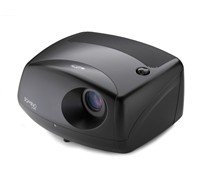
Sim2 has unveiled the Domino 80E (with the ‘E’ signifying Evolution), a Full HD 1080p projector that claims to deliver a better viewing experience with its Universal Shaped Lamp Light Technology (Unishape).


Click to enlarge
According to Sim2, what makes the Unishape technology unique is the fact that it is a modulating lamp, ‘shaping the light output on millisecond time scales in synch with the DMD chip and colour wheel.’ This new lamp also claims to deliver more colours, more brightness (up to 40 percent increase), higher contrast (up to 40 percent improvement through deeper blacks and brighter whites), more colours in dark scenes (up to 43 percent improvement), and less artefacts (with 6 segment colour wheels – RBG + Magenta Yellow Cyan), the company says.

The Domino80E uses high quality Fujinon BK7 glass lenses and its lenses are also anti-reflection coated with multilayer coating to avoid light scatter outside the light path, preventing degradation of black levels. The projector also comes with an HDMI input, component and VGA inputs, RS232 control capability and 2 x 12v trigger outputs for screen control. There are also three custom user aspect ratios, which allow, amongst other things, the ability to use a 2.35:1 anamorphic lens adaptor without the need for an external processor to change the aspect ratio.

Availability and Pricing

The Domino 80E is available now in Matt Black and White cabinet finishes and has an RRP of $11,999.

See: www.audioproducts.com.au

A New Look For Asus Eee PC

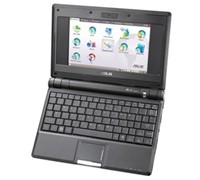
After its successful launch last month, Asus’ Eee PC will now be available in another colour. The “world’s easiest PC” will now come in black and will still have the same specifications and price point as its white counterpart.


Click to enlarge
The Eee PC has a 7-inch display, Linux or Windows XP OS, Ethernet, Wireless LAN, 512MB of memory, 4GB of Storage, Webcamera, and weighs less than 1kg.

According to Asus, its Eee PC is based on the three Es: Easy to learn, Easy to work, and Easy to play.

Pricing and Availability
 
The Black Eee PC is now available in Myer stores nationally and comes with a recommended retail price of $499.

See: au.asus.com

Kingston Unveils Multi-Card Reader

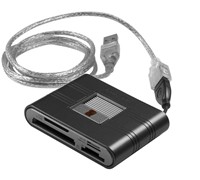
Kingston has unveiled its new Kingston Media Reader, an external reader designed to support up to 19 popular types of Flash memory cards.


Click to enlarge
According to Kingston, this new reader is the ‘perfect solution for moving data’ between Flash cards and a computer or other device with a USB port as it requires no adapters or power cable.

Kingston’s Regional Manager For Australia and New Zealand, Vaughan Nankivell said, “The new media reader handles so many different card types that it’s ideal for the consumer or business professional who uses multiple card formats to transfer data, music, photos, videos and other files between mobile phones, cameras, PCs and other devices. Its compact size makes it easy to carry while traveling or keeping on the desktop for quick access.”

With four built-in slots to handle the various card formats, the Kingston Media Reader has a unique retractable chassis that keeps inserted cards safe. It also houses a short, compact USB cable for use on the go with a notebook or other portable device with a USB port and a detachable three-foot extension USB cable for use at home or at the office. The Kingston Media Reader carries a two-year warranty.

Memory cards supported are as follows: CompactFlash Type I and II, SD, SDHC, miniSD, miniSDHC, microSD, microSDHC, MMC, MMCmobile (DV RSMMC), MMCplus, MMCmicro, RS-MMC, Microdrive; as well as Memory Stick Micro (M2), Memory Stick, Memory Stick PRO, Memory Stick Duo and Memory Stick PRO Duo

See: www.kingston.com

Fujitsu Brings 3.5G To Its Tablet PC

Keeping up with the trend of wireless connectivity and mobile computing, Fujitsu has given life to its LifeBook U1010 by making it 3.5G/HSDPA enabled.


Click to enlarge
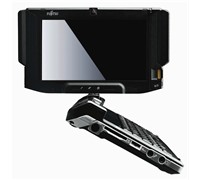
Fujitsu LifeBook U1010: Now with HSDPA capabilities
Fujitsu PC Australia’s Senior Product Manager, David Niu said, “Fujitsu is a company that constantly redefines the boundaries of technology. Releasing the LifeBook U1010 3.5G to kickstart 2008, we are placing ourselves as the leader in true mobile computing. The LifeBook U1010 is a product that creates wonders for our customers, allowing them to combine the serious side of work and quickly switch into leisure mode while on the go using just one device.”

The LifeBook U1010 weighs just over 600 grams, comes with an aluminium plated QWERTY keyboard, and sports a 5.9-inch LCD screen. According to Fujitsu, the screen is packs two 3.5G aerials to connect to HSDPA networks and can be swivelled, giving users the flexibility of using the LifeBook U1010 like a handheld, tablet, or notebook PC.

RRP: $1,999

See: www.lifebook.com.au

Beware The Pre-Valentine Love Bug

Looking for love on the Internet may be a good idea, just don’t get bitten by any malicious computer bugs by opening any love related e-mails sent to you by an anonymous lover.

Sophos is warning users of a widespread e-mail posing as a message of love in an attempt to install malicious codes to your computer. The company says that the people behind the Dorf Trojan has deliberately spammed out a romantic e-mail campaign, luring unsuspecting computer users to dangerous websites.

Senior Technology Consultant at Sophos, Graham Cluley said, “This heart attack has been spammed out on a huge scale by an organised gang hell-bent on stealing access to your PC for criminal purposes. It seems the hackers were too impatient to wait for St. Valentine’s Day this year before plucking on heart strings in their attempt to infect the unwary. People will be truly love sick if they let the malicious code run on their PC.”

Subject lines used in the attack are many and varied but all pose as a romantic message. Some of them include “Falling In Love with You”, “Special Romance”, “You’re In My Thoughts”, “Sent with Love”, “Our Love Will Last”, “Our Love is Strong”, “Your Love Has Opened”, “You’re the One”, “A Toast My Love” and “Heavenly Love”.


The body of the email contains a link to an IP address-based website, which is actually one of the many compromised PCs in the Storm botnet. The website displays a large red heart, while installing malware onto the users PC. The company believes that the worm code is designed to attempt to download further malicious code from the internet designed to take over the PC, convert it into part of a zombie network, and use it to send spam on behalf of hacking gangs.

“Your PC and the data on it is precious, and it needs to be protected. No one should be blinded by an unexpected romantic message into clicking on links to unknown websites. The best defense is common sense, combined with up-to-date anti-virus software and spam protection at your gateway,” added Cluley.

See: www.sophos.com.au

WD Launches 320GB Scorpio Hard Disk Drive

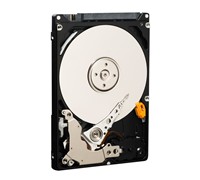
Western Digital has just made mobile digital storage a lot bigger with its new WD Scorpio 320GB 2.5-inch SATA (Serial ATA) hard drives for notebook computers and portable storage devices.


Click to enlarge
Acer’s Vice President of Mobile Computing Business Unit, Campbell Kan said, “Consumer demands for high capacity storage are stronger than ever. WD is again leading the industry by delivering high quality, high capacity product to the market with the introduction of its new WD Scorpio 320GB hard drive. WD understands the increasing storage requirements of the notebook market, allowing Acer to introduce high-capacity notebook solutions that meet our customer’s ever-growing demands.”
 
According to WD, the Scorpio 320GB SATA hard drive is a direct result of the significant investments WD has made in proprietary head technologies. With the introduction of its latest-generation WD Scorpio drives, WD continues to offer mobile computing and portable storage customers the same quality, reliability and performance in the desktop PC market.
 
“In today’s market, new notebook systems are increasingly targeting heavy duty applications in the office and home. As system manufacturers improve performance and add data hungry features, high-capacity hard drives become a key ingredient that allows users to fully benefit from the latest computing technologies,” says Jim Morris, WD’s vice president and General Manager of Notebook Storage.

RRP: $299

See: www.westerndigital.com

Versatile New Bravia-Like Sony PC

Sony has stepped out of the box with its new Vaio PC that redefines the way we look at desktops. The new Sony Vaio LM is a Bravia-lookalike panel PC that can be placed on top of a table or mounted on the wall for ease of use, and can be used to watch or record your favourite TV show with its integrated TV tuner.


Click to enlarge
The Sony Vaio reminded us of the Sony Bravia LCD TV models, with the unit sporting a clear glass frame and brushed aluminium bezel. This PC sports a 19-inch wide WXGA monitor with a native resolution of 1440 x 900. There are no buttons found up front as the power button and display off button is located on the top right portion of the screen.

Sony has placed all of the ‘computer’ aspects of the Vaio behind the screen. One can find the Vaio’s PC Card slot, ExpressCard slot, Memory Stick Pro card reader, SD card reader, Headphone jack, and Wi-Fi indicator on the left side of the unit. A FireWire (IEEE 1394) port, Microphone in, Audio in, Optical out, and three USB ports are located at the back of the unit, while a Hybrid TV tuner, A/V Input, S-Video in, AC port, Ethernet port, Modem port, and Wi-Fi toggle (On/Off) hidden behind the removable back casing. A slot-load DVD drive and two additional USB ports can be found at the right of the screen, making it easy for users to hook up any device unto the Vaio.

The Vaio LM can either be mounted to the wall or placed on top of the table. And in order to adjust the unit, users must move its neck until that perfect viewing angle is achieved.


Click to enlarge
Sony Vaio’s Wireless Mouse and Keyboard
Performance:

Both the unit’s keyboard and mouse are wireless and uses a total of 6 AA batteries (4 for the keyboard, 2 for the mouse). The Vaio has no charging ports for its input devices, so we advise users to purchase rechargeable batteries or use other wireless input devices available in the market.

The main ‘cover’ of the keyboard instantly converts into a wrist rest and reveals the flat and well-spaced keys. The volume control, shortcut keys (Windows Media Center, Video Optimiser, and Eject button), as well as a power indicator is located on top of the keyboard, while other functions like brightness settings and zoom in can be accessed by pressing the function button and one of the ‘F’ keys. It is just too bad though that the mouse does not have any battery indicator, making it difficult to know when to replace its batteries.


Click to enlarge
The unit is powered by an Intel Core 2 Duo T7250 (2 Ghz) processor and uses an Nvidia GeForce 8400M GT GPU graphics card, making it suitable for gaming. The PC comes with 250GB of storage and 2GB of RAM, and runs Windows Vista Home Premium.

The multitude of connectivity options allowed us to connect our external storage devices, cameras, and even our music player with a few more ports to spare. The TV tuner was a nifty addition to the Vaio PC as we were able to view or record TV shows using Windows Media Center. The unit also comes with an IR remote, making it easy to navigate through the interface. The built-in 1.3 megapixel camera can be moved up or down with its ‘Motion Eye’ switch on top of the screen. Considering its size, the built-in speakers were able to provide us with a good audio output and did not sound tinny at all. The unit also comes with an 8cm to 12cm disc adaptor, allowing users to play recorded discs from their digital cameras straight to the PC.

This Vaio Panel PC also has a 90-day subscription to Norton Internet Security, a 60-day trial of Microsoft Office 2007, a couple of proprietary Vaio programs to assist users (Recovery Center, Update, Data Restore Tool, and Control Centre), and other multimedia programs (Vaio Photo and Video Suite, Vaio Camera Capture Utility, Picasa, Interwin WinDVD for Vaio) for ease of use.


Click to enlarge
Conclusion:

The Sony Vaio VGC-LM18G is one of those PCs that can get things done and can entertain you as well with its TV tuner and multimedia capability. And while this panel PC has its share of problems (no charging dock for the keyboard and mouse, limited memory card slots, inconvenient location of keys), it looks great enough. If you value design and aesthetics, can afford the $3500 price tag, and can compromise a little on features, then you’ll be pleased with this PC.

Product Specifications:

Hardware

  • Processor: Intel Core 2 Duo Processor T7250 (2.00GHz)
  • Processor System Bus: 800MHz
  • Cache Memory: 2MB
  • Main Memory: 2GB DDR2 SDRAM (Upgradeable up to 4GB), 2 SO-DIMM slots.
  • Hard Drive: 250GB Serial ATA, 7200rpm
  • Wireless LAN: IEEE 802.11b/802.11g
  • Optical Drive: Reading Speed: DVD+R: x8 (Single Layer), x6 (Double Layer) / DVD-R: x8 (Single Layer), x6 (Dual Layer) / DVD+RW: x8 / DVD-RW: x6 / DVD-ROM: x8 / DVD-RAM: x5 / CD-ROM: x24 / CD-R: x24 / CD-RW: x24
  • Optical Drive: Writing Speed: DVD+R: x8 (Single Layer), x4 (Double Layer) / DVD-R: x8 (Single Layer), x4 (Dual Layer) / DVD+RW: x4 / DVD-RW: x6 / DVD-RAM: x5 / CD-R: x24 / CD-RW: x16
  • Graphics Processing Unit: NVIDIA GeForce 8400M GT notebook graphics processing unit (GPU)
  • Total Available Graphics Memory (Max): 895MB
  • Display: 19.0″ Wide (WXGA+:1440×900) TFT Colour display (Clear Bright High Colour LCD)
  • Interfaces: USB 2.0 x5, 4-pin i.Link (IEEE 1394) S400 x1, ExpressCard/34 Slot x1, PCMCIA Type I/II (Cardbus Support) x1, RJ45 Ethernet x1, RJ11 Modem x1, Headphone Jack x1, Line-In jack (stereo mini) x1, Microphone Jack x1, Memory Stick Slot x1, VHF/UHF Connector x1, Optical Out Connector x1, Infrared Receiver x1
  • Built-In Camera: Effective Pixels: 1280×1024
  • Modem: V.92 and V.90 Compliant
  • Ethernet: 1000Base-T/100 Base-TX/10 Base-T
  • Audio: DSD compatible high quality sound chip: “Sound Reality” (Intel High Definition Audio compatible), 3D audio (Direct Sound 3D support), Built-in stereo speakers, Subwoofer speaker for bass frequencies, Built-in monaural microphone
  • Keyboard/Input Device: VGP-WKB5IE Wireless keyboard: Approx. 19 mm key pitch, 2.7 mm keystroke, 99 keys / VGP-WMS1 Wireless Mouse

Software

  • Operating System: Windows Vista Home Premium (English version) with Traditional Chinese Language Pack
  • Sony Applications: Click to DVD 2.6, VAIO Movie Story 1.0, VAIO Content Importer/Exporter 1.2, VAIO MusicBox 1.0, Setting Utility Series 3.0
  • Other Applications: Windows Media Center, Adobe Premiere Elements 3.0 (Installer), WinDVD for VAIO 8.0, Windows Photo Gallery, Picasa, Adobe Photoshop Elements 5.0 (Installer), Roxio Easy Media Creator 9.0, Norton Internet Security 2007 (Free 90 day trial), 60-Days Trial Version of Microsoft Office Professional 2007, ArcSoft Magic-i Visual Effects 1.0(Installer)
  • Technical Support: 12 months

Unit Dimensions (WxHxD): 574 x 376 x 169mm
Keyboard Dimensions (WxHxD): 338 x 31.3 x 159mm
Weight: 8.3kg
Warranty: 12 months standard

————————————
Sony Vaio LM Panel PC VGC-LM18G | $3,499 |  | www.sony.com.au

For: Classy exterior; Built-in TV tuner; Wireless keyboard and mouse; Sound output; Wall mount option; Comes with a remote; Good screen output
Against: No charging dock for keyboard and mouse; Sony could have placed a multiple card reader instead of a Memory Stick Pro and SD card reader
Conclusion: Sony was able to create a panel PC that is both a performer and a looker.

A Targus Notebook Case For Extra Large Notebooks

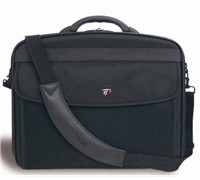
Targus has launched the X-Ec 20″ (XXL), a notebook case that made from a combination of nylon materials that claims to hold notebooks with screens up to 20 inches.


Click to enlarge
The company claims that the case features internal dividers which can be moved to house hardware securely. It also has a moulded handle that promises total comfort combined with durability, as well as multiple accessory pockets and a large expanding file section that allow a user to store everything they need.

Key Features

  • Notebook compartment designed to fit notebooks with up to 20″ screens
  • Notebook case in a clamshell design with zip-down workstation containing pockets and holders for business accessories, file section with two dividers for all your document requirements
  • Equipped with moulded handle and a padded, removable & adjustable shoulder strap for comfort carrying

Product Specifications

  • Colour: Black
  • Exterior Dimensions: 51 x 44 x 11 cm
  • Interior Notebook Dimensions: 47.5 x 6.2 x 35.2 cm
  • Material: Nylon
  • Weight: 1.9 kg

See: www.targus.com/au